Shelf Awareness: Learning to be Shelf Aware.

Table of Contents
Overview
Shelf Awareness is a centralized mobile and web application designed to provide a digital inventory system for managing household food storage, including pantries, refrigerators, freezers, and spice racks. The application allows users to add, remove, and edit items, while tracking item quantities and expiration dates.
Using this information, Shelf Awareness can automatically generate shopping lists for items that are running low, required for selected recipes, or nearing (or past) their expiration dates—helping users stay organized and reduce food waste.
The application will allow for two types of users.
- Admins can add, delete, and review recipes.
- Users can create and manage multiple pantries, add, update, and delete pantry items, add and view recipes, generate shopping lists, and view a map of nearby grocery stores.
Use Cases
- Users can create a shopping list based on needed ingredients for a recipe.
- Users can generate shopping lists based on items that are expired or low in stock.
- Application will track item quantitees across all storage locations.
- Use expiration reminders to suggest recipes to help reduce food waste.
Beyond The Basics
- Users can leave a review on recipes that they liked or disliked.
- Macro and Protein tracker for meals or in the current grocery list
- Fully Mobile Friendly interface
- Barcode scanner to automatically add an item to be reivewed before adding it to the pantry
User Guide / Page Mockups
Below provides a walkthrough of the Shelf Awareness applications that includes its user interface.
Use of generative AI disclaimer: Page mockups were generated using AI
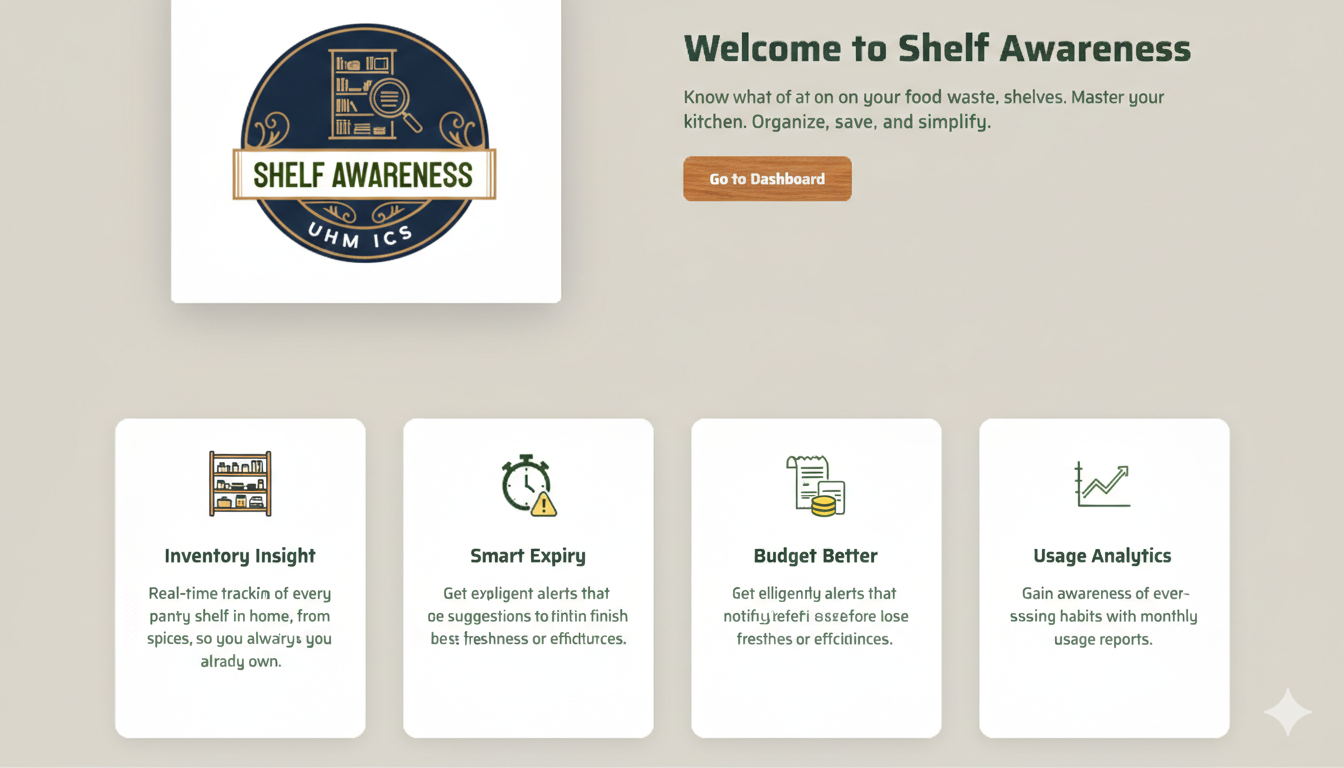
Landing Page
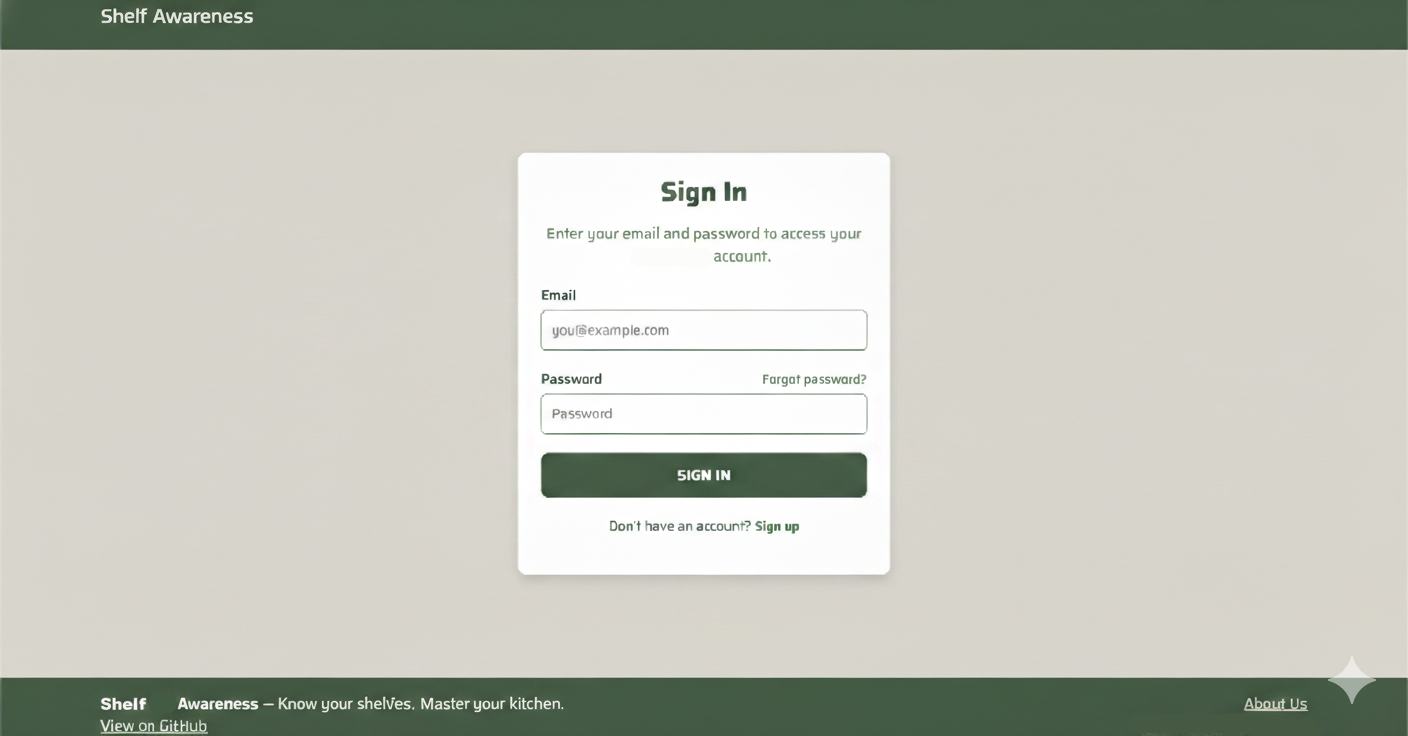
Sign In Page
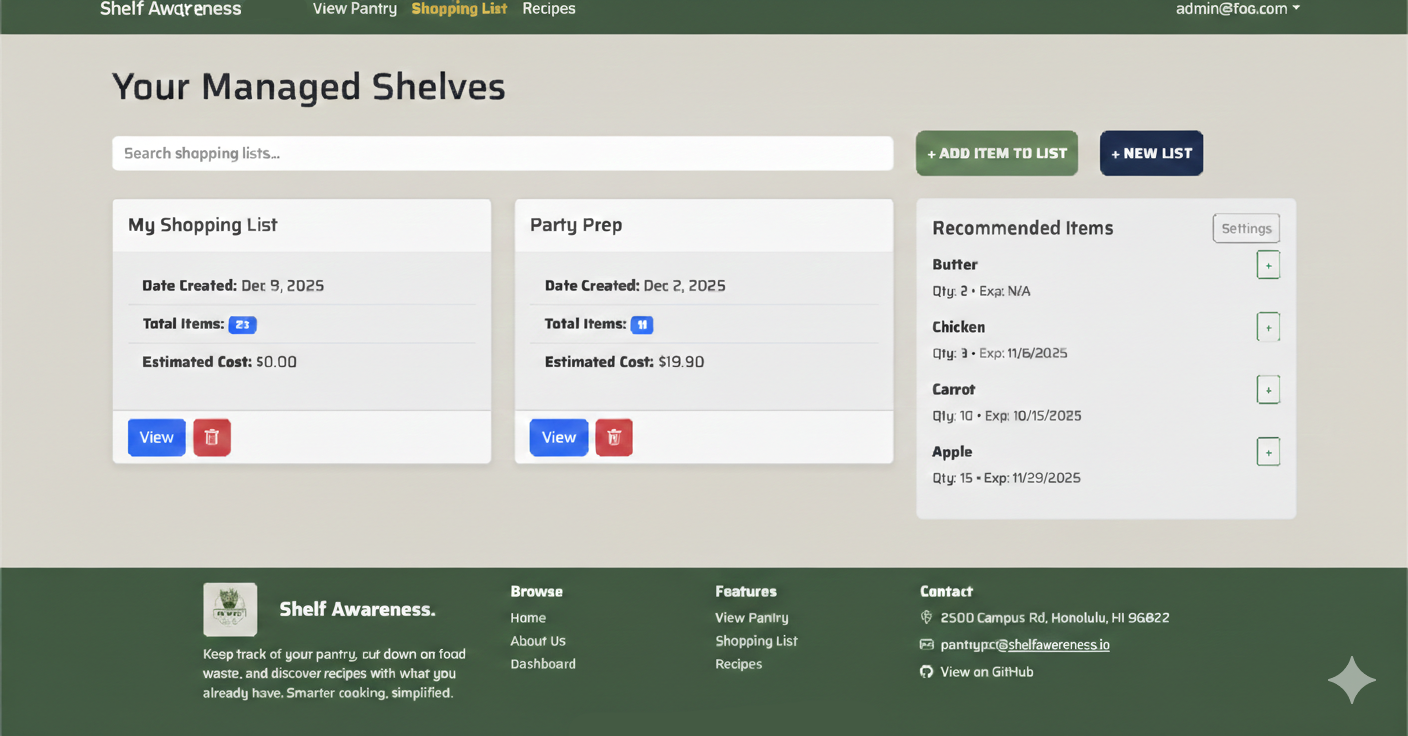
Shopping List Page
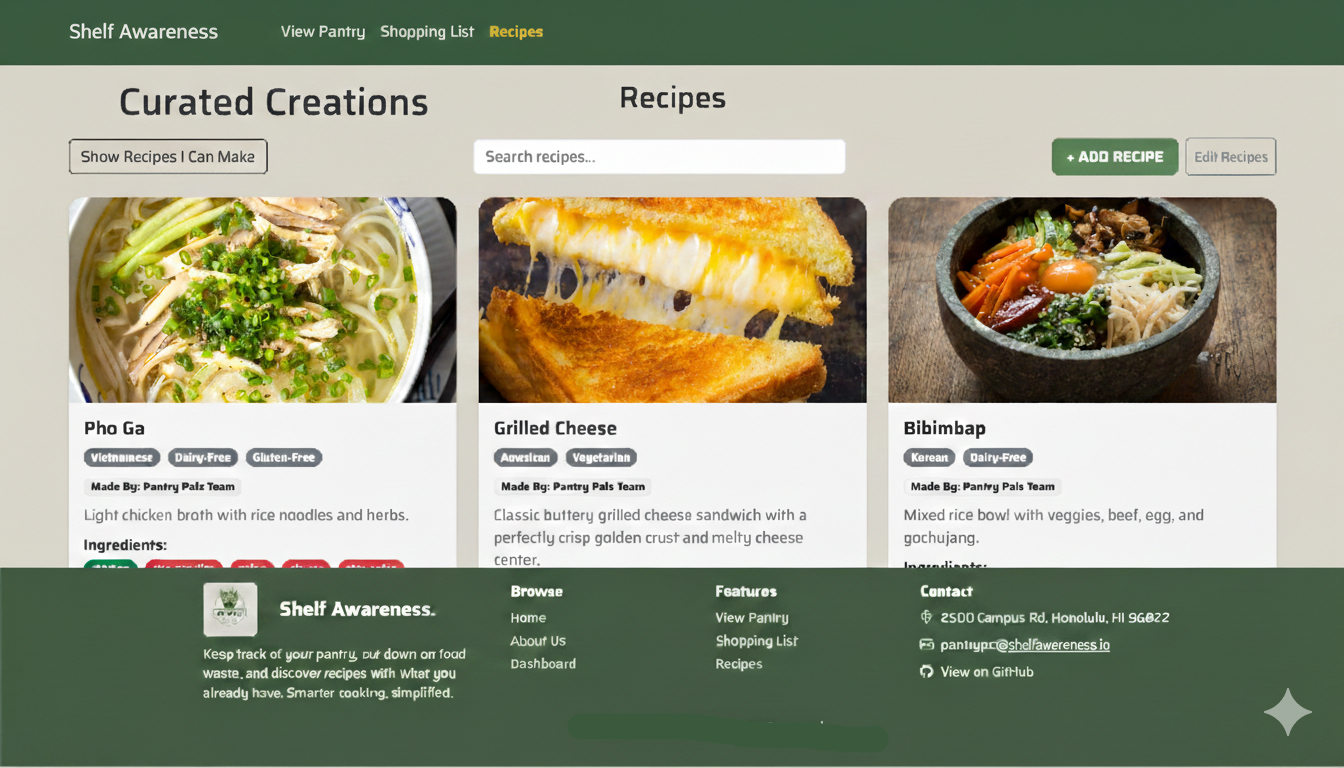
Recipe Page
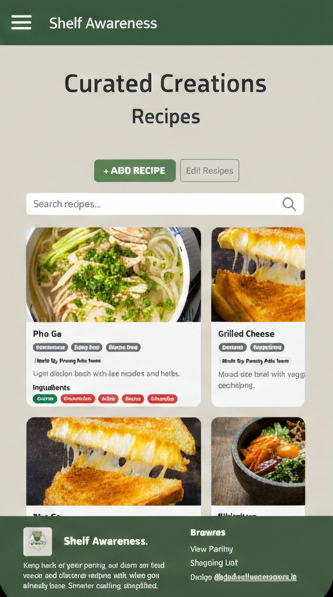
Mobile View
Team
Shelf Awareness is designed, implemented, and maintained by:
- Kent Burgess (kentb@hawaii.edu)
- Rolando Cadiz (cadiz808@hawaii.edu)
- Darilyn Evangelista (darilyne@hawaii.edu)
- Cade Kane (cadekane@hawaii.edu)
- Kacy Kuniyoshi (kacykuni@hawaii.edu)
- Royce Jarvy Uy (rjuy@hawaii.edu)
Team Contract
Our team’s Code of Conduct can be found in the Team Contract
Our GitHub
- View the Shelf Awareness organization here
- View the Shelf Awareness project repository here
- View the Shelf Awareness github.io page repository here
Milestone 1
Overview
Milestone 1 focused on establishing a stable, well-documented foundation for the Shelf Awareness application. Since this project is based on a forked repository, much of the core functionality (pantry management, shopping lists, recipes, and UI components) was already implemented. The primary goal of this milestone was to align the existing codebase with our project goals (primarily through making mockup pages) and modernize the development environment by updating packages to prepare the application for future feature development.
During Milestone 1, we focused on the following tasks:
Project Planning and documentation
- Created and documented user stories in the GitHub Discussions tab to define project scope and user goals.
- Updated the project GitHub Pages site to reflect current project status and milestones.
- Created the Milestone 2 project board to plan upcoming development.
Development Environment & Tooling
- Updated npm dependencies and resolved compatibility issues.
- Upgraded the project to support Next.js 15.5.7 and React 19.
- Set up and verified the database using Prisma.
- Improved account creation by updating the email verification workflow.
UI/UX & Branding
- Rebranded the website, including updated color scheme, theme, logo, navbar, and footer.
- Designed mobile friendly implementation for key components and pages (ex. View Pantry, Recipes, Shopping List)
Quality Assurance
- Performed acceptance testing to ensure existing features function correctly after dependency and configuration updates.
Milestone 1 Progress and Mockups
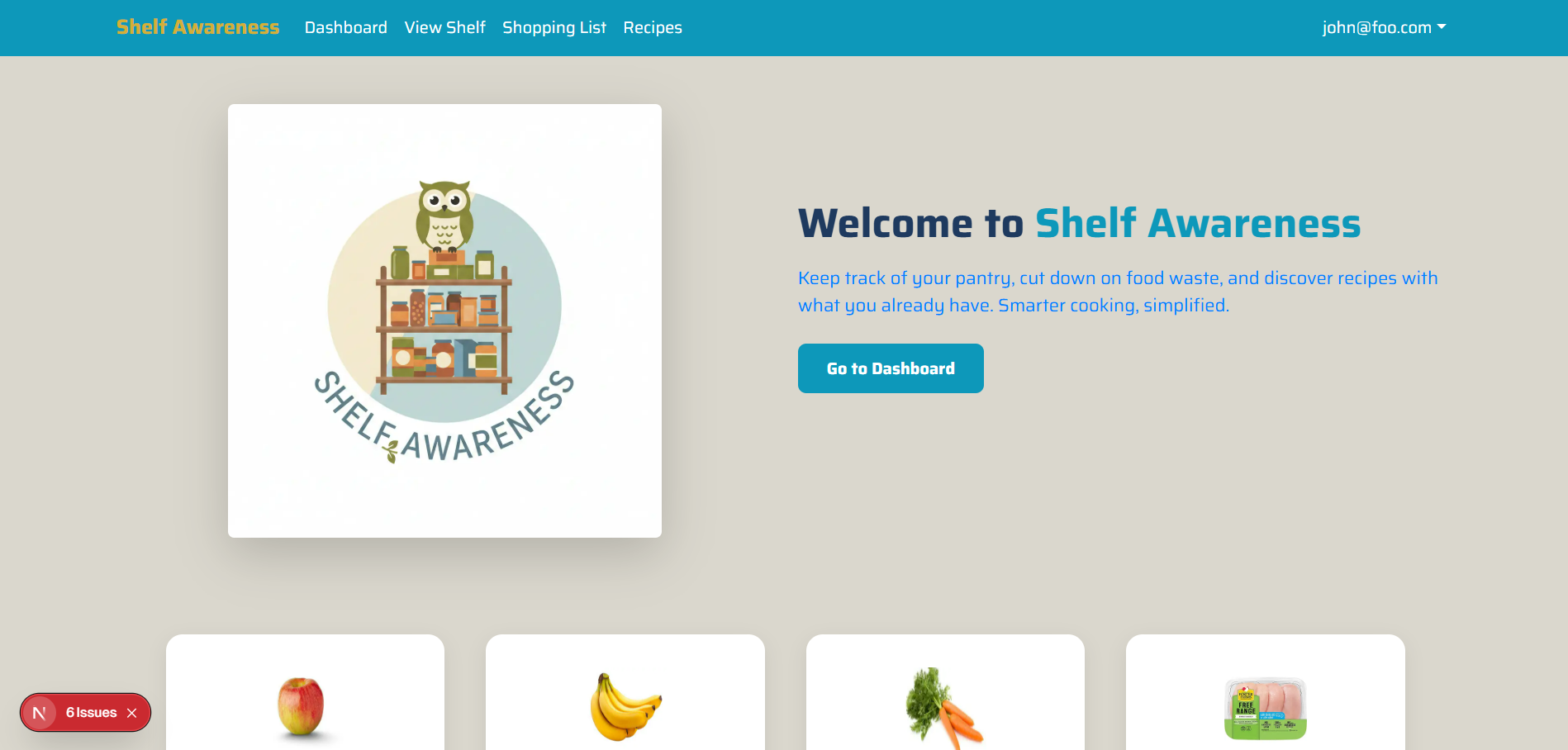
Landing Page
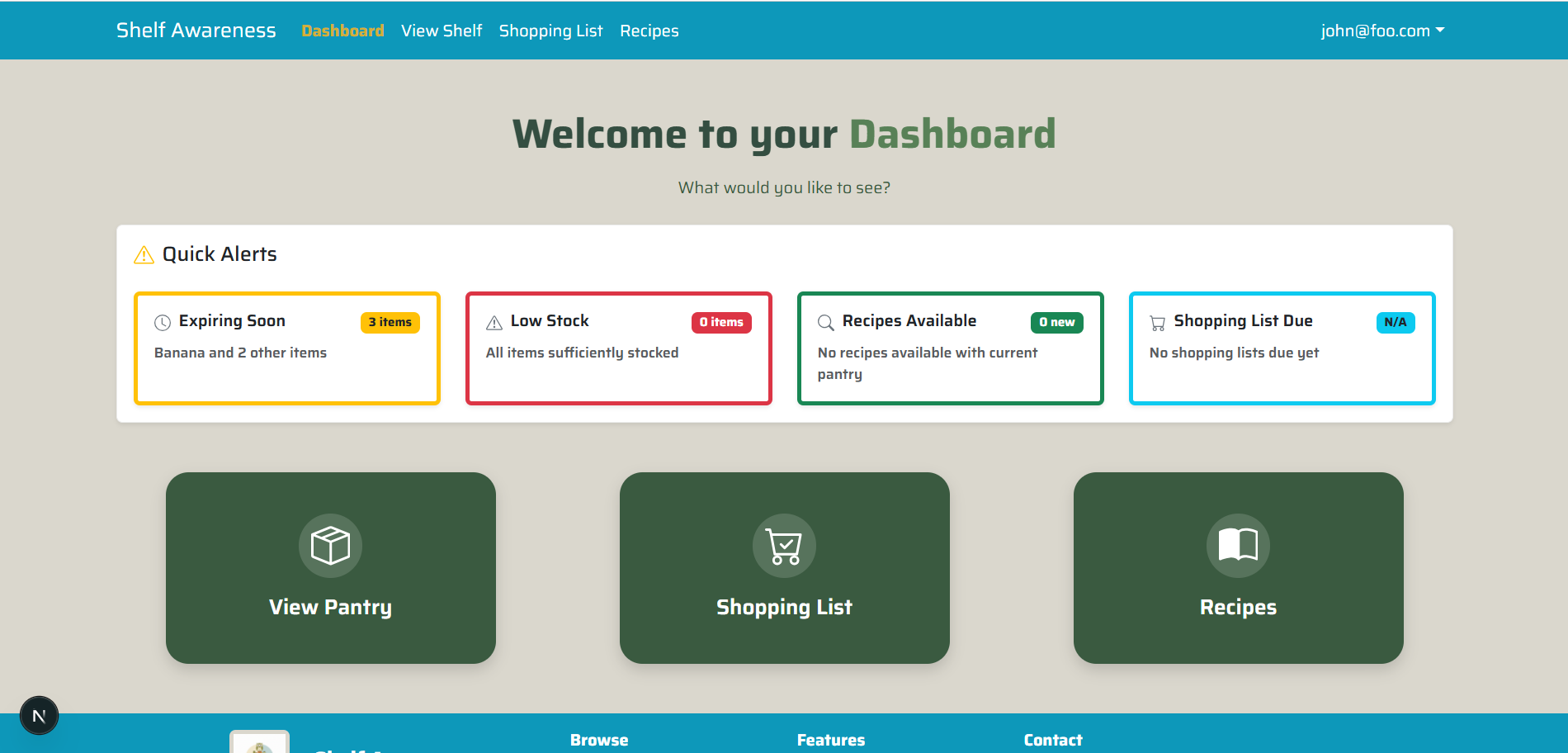
Dashboard Page
View Shelf Page
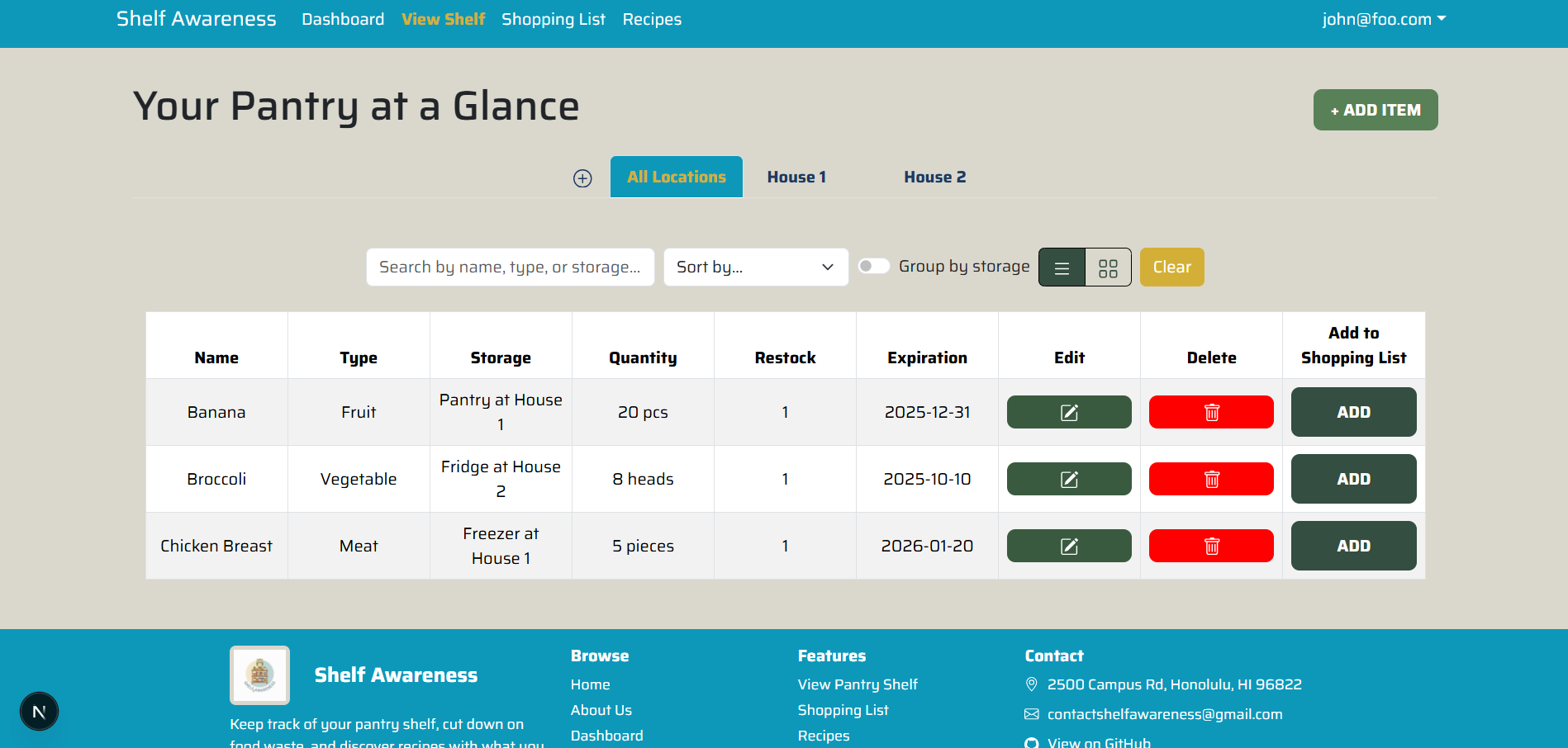
Shopping List Page
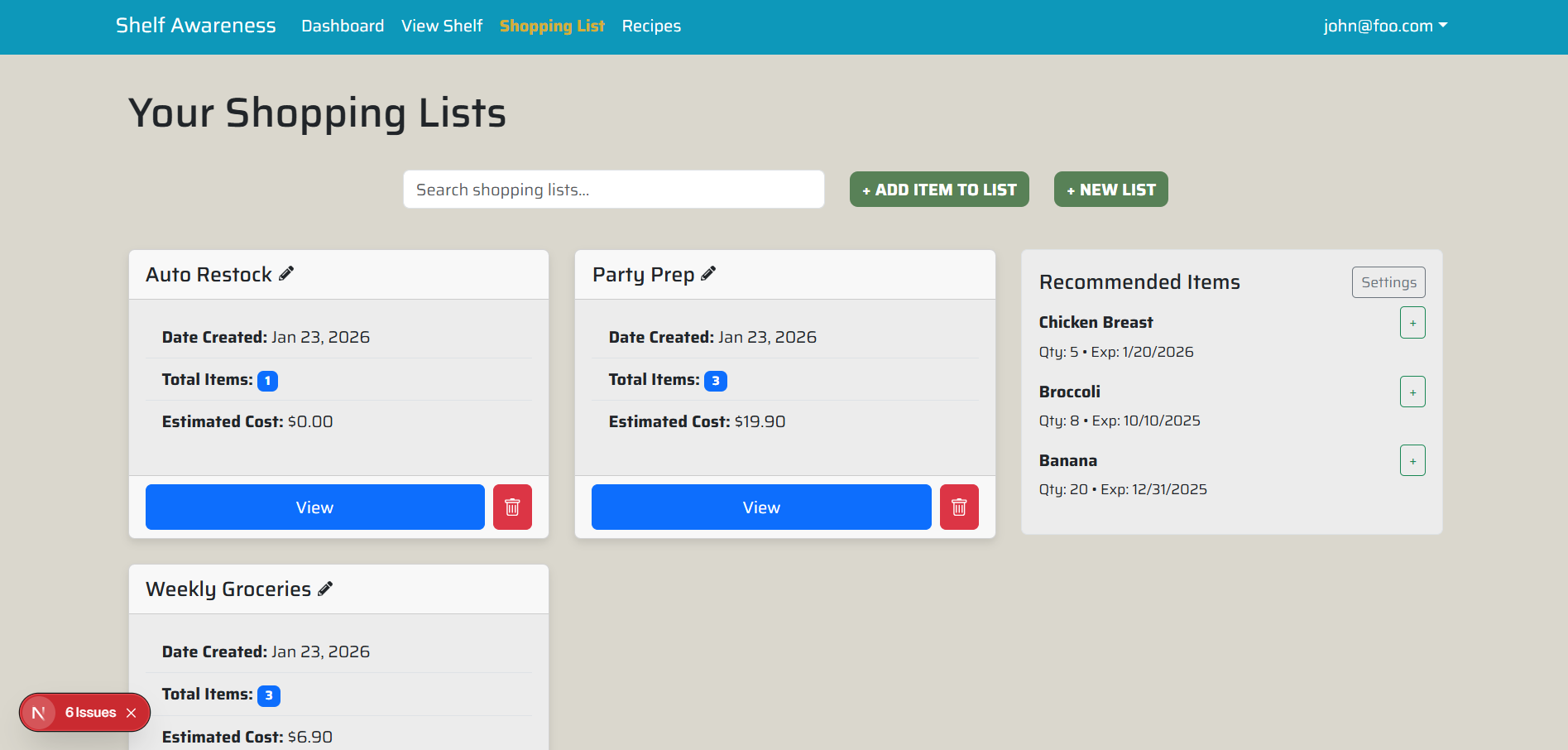
Recipe Page
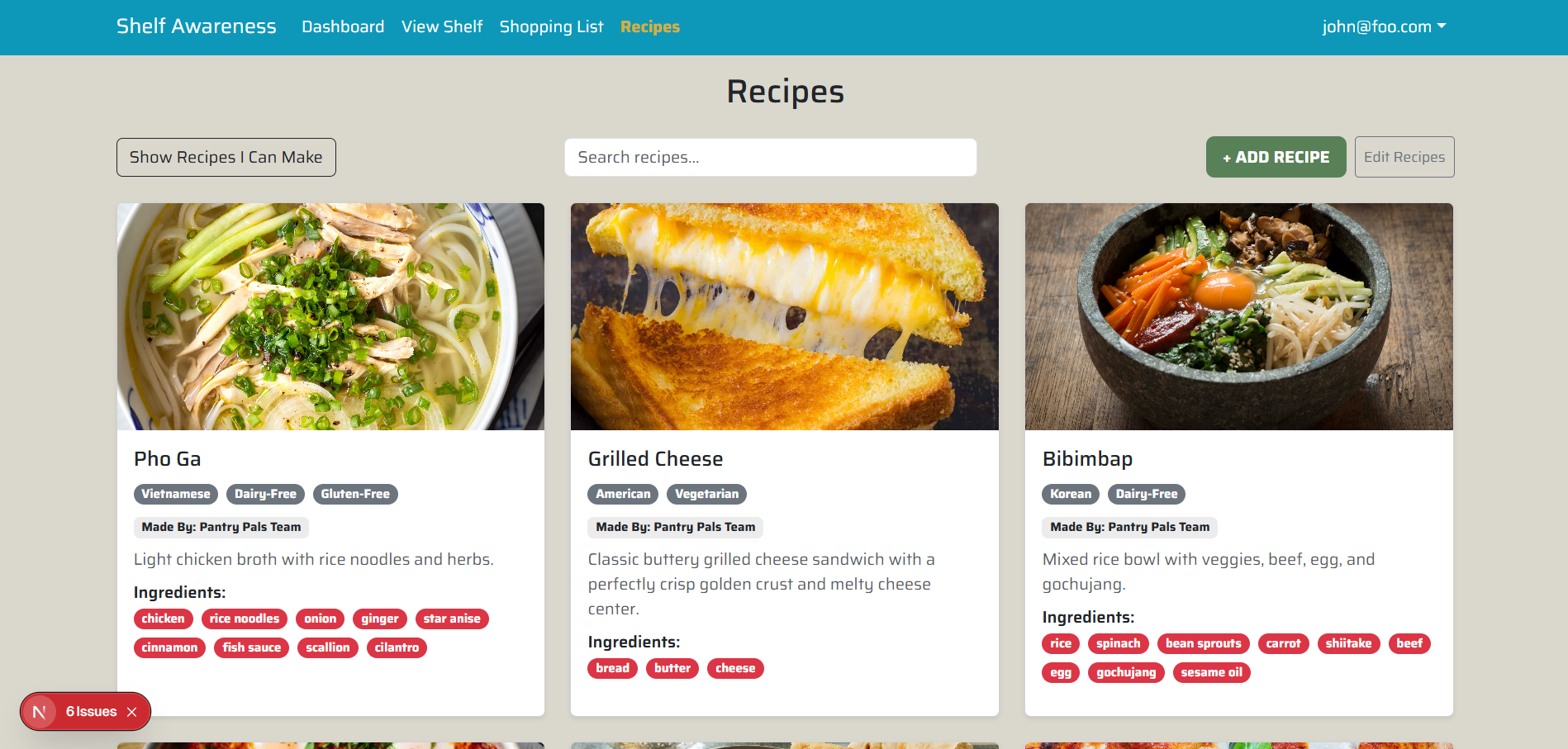
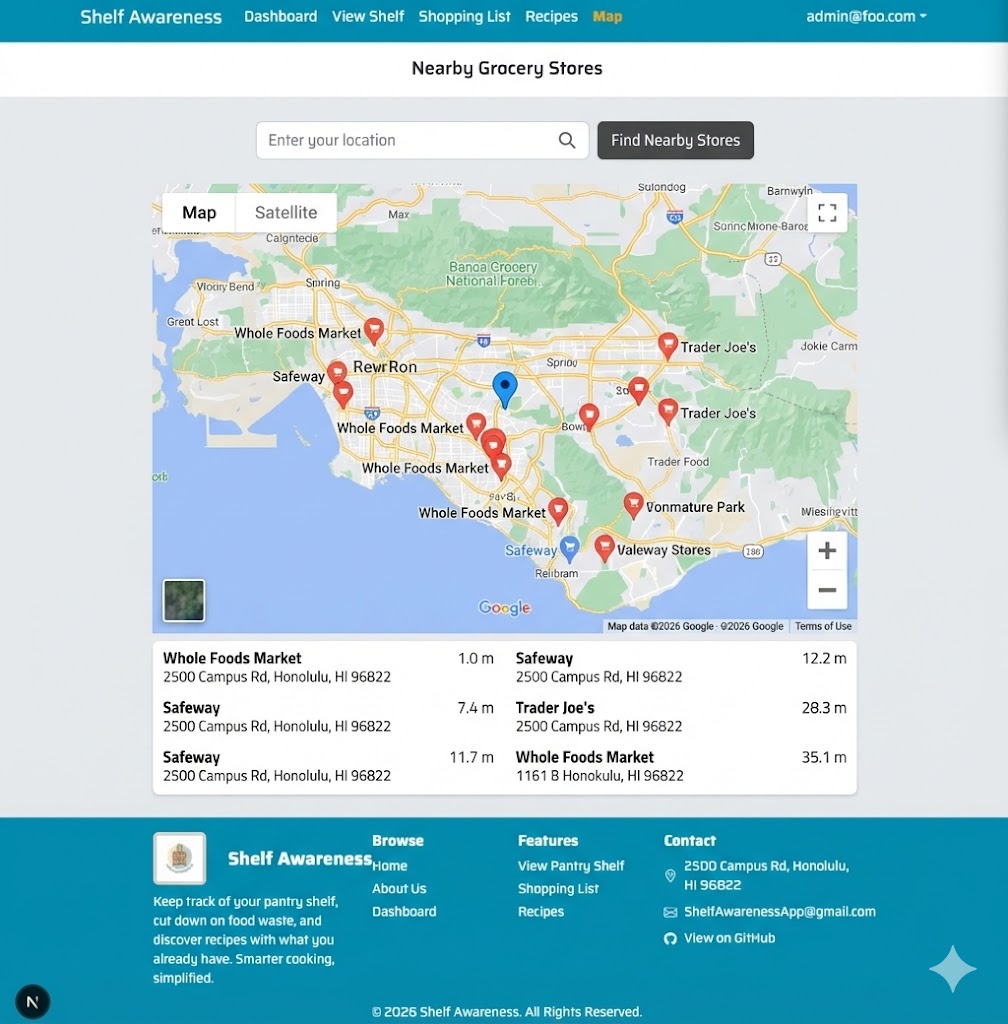
Map Mockup
Use of generative AI disclaimer: Mockup was generated using AI
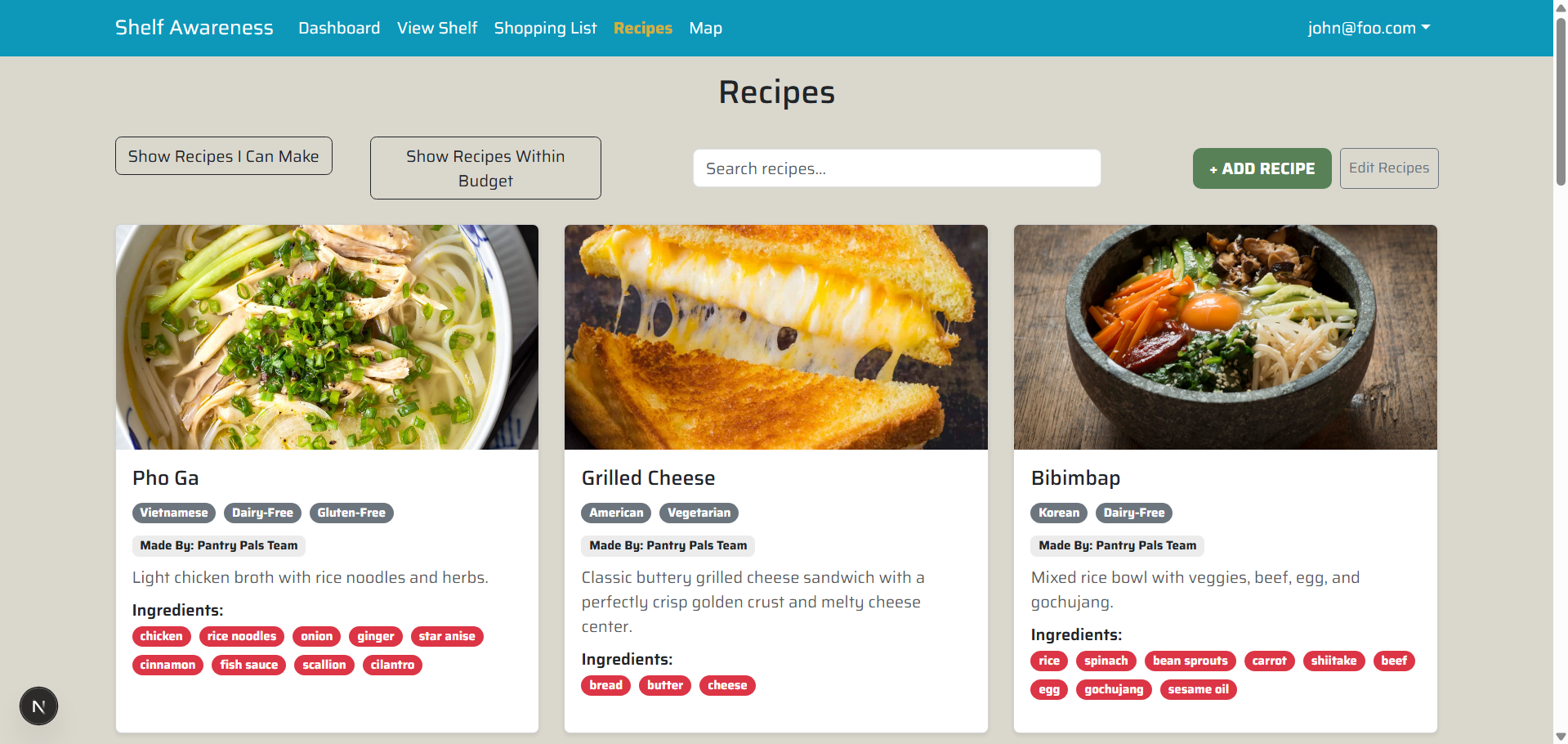
“Recipes Within Budget” Filter Mockup
Current Mobile Mockups
Shelf Mobile Mockup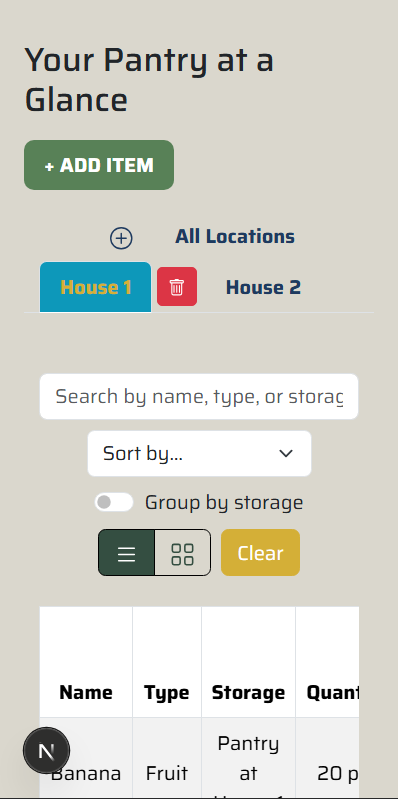
|
Shopping List Mobile Mockup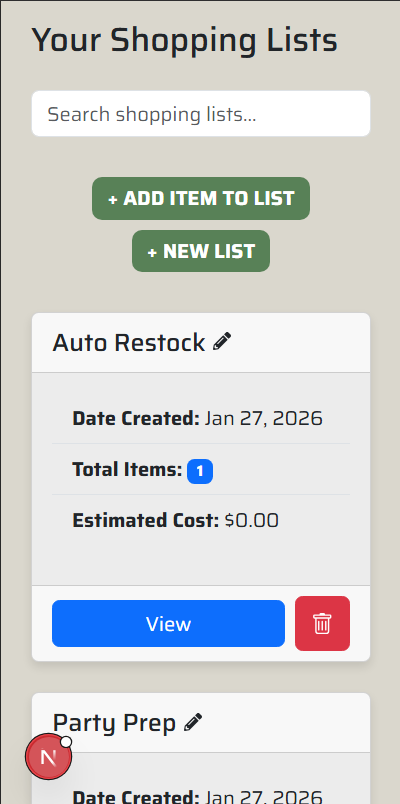
|
Dashboard Mobile Mockup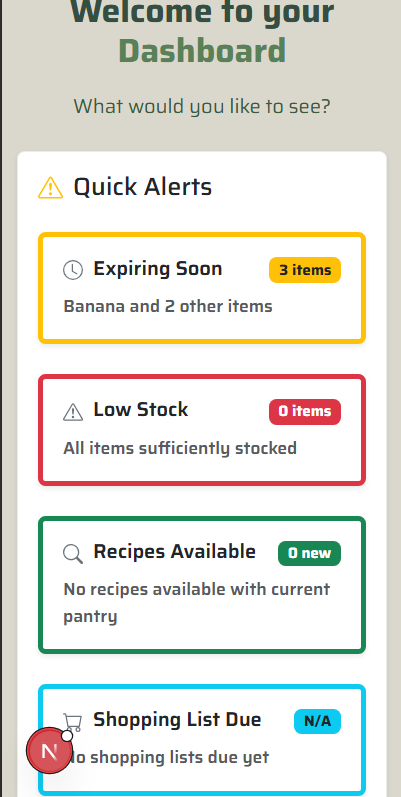
|
Milestone 2
Overview
In M2, our focus was on enhancing usability, improving mobile responsiveness, and integrating new features to support different user needs. We completed a thorough mobile-friendly review of all pages, making the app easier to navigate on a variety of devices. Key functionality was added to support three core user stories, improving the experience for both casual users and specialized users like personal chefs and elite bodybuilders.
Completed User Stories
Personal Chef - Ingredient Management
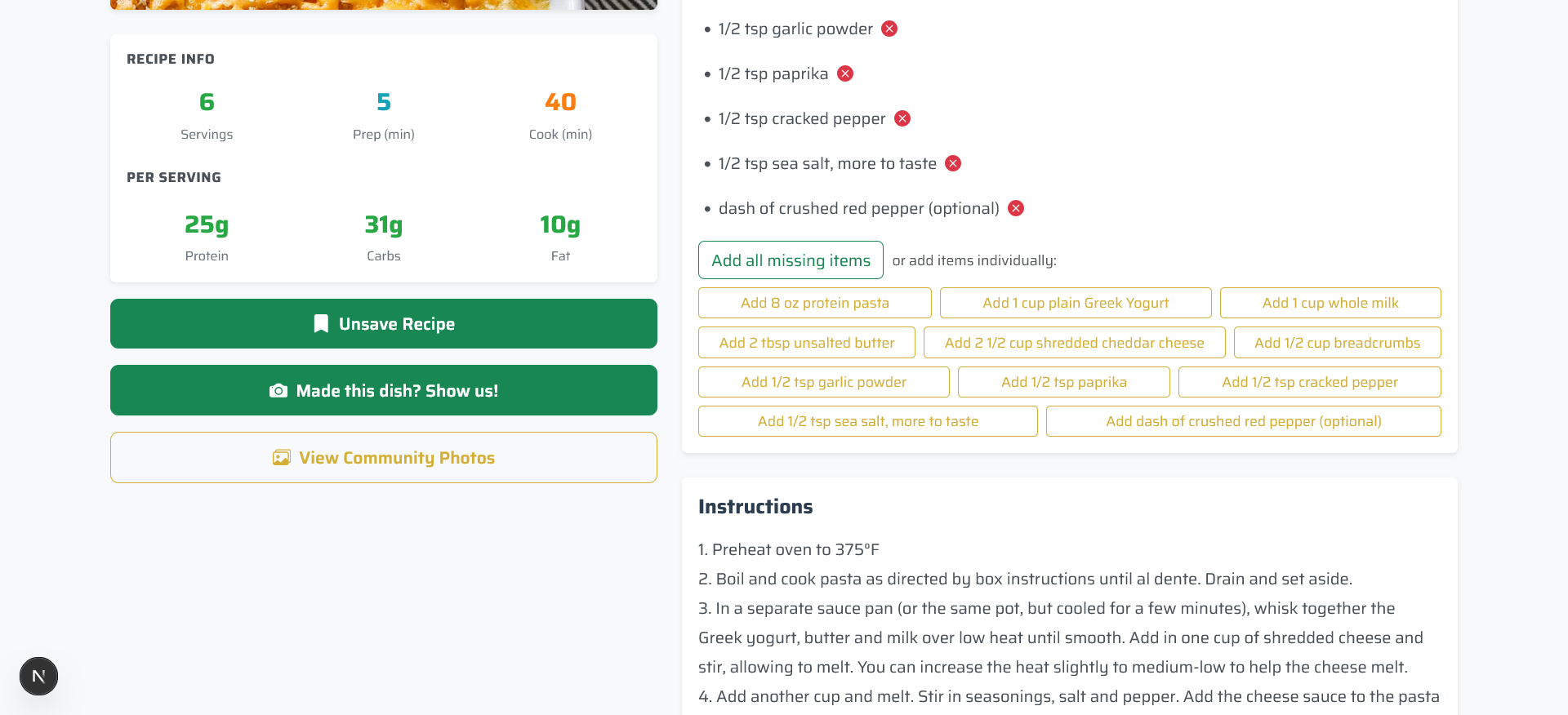
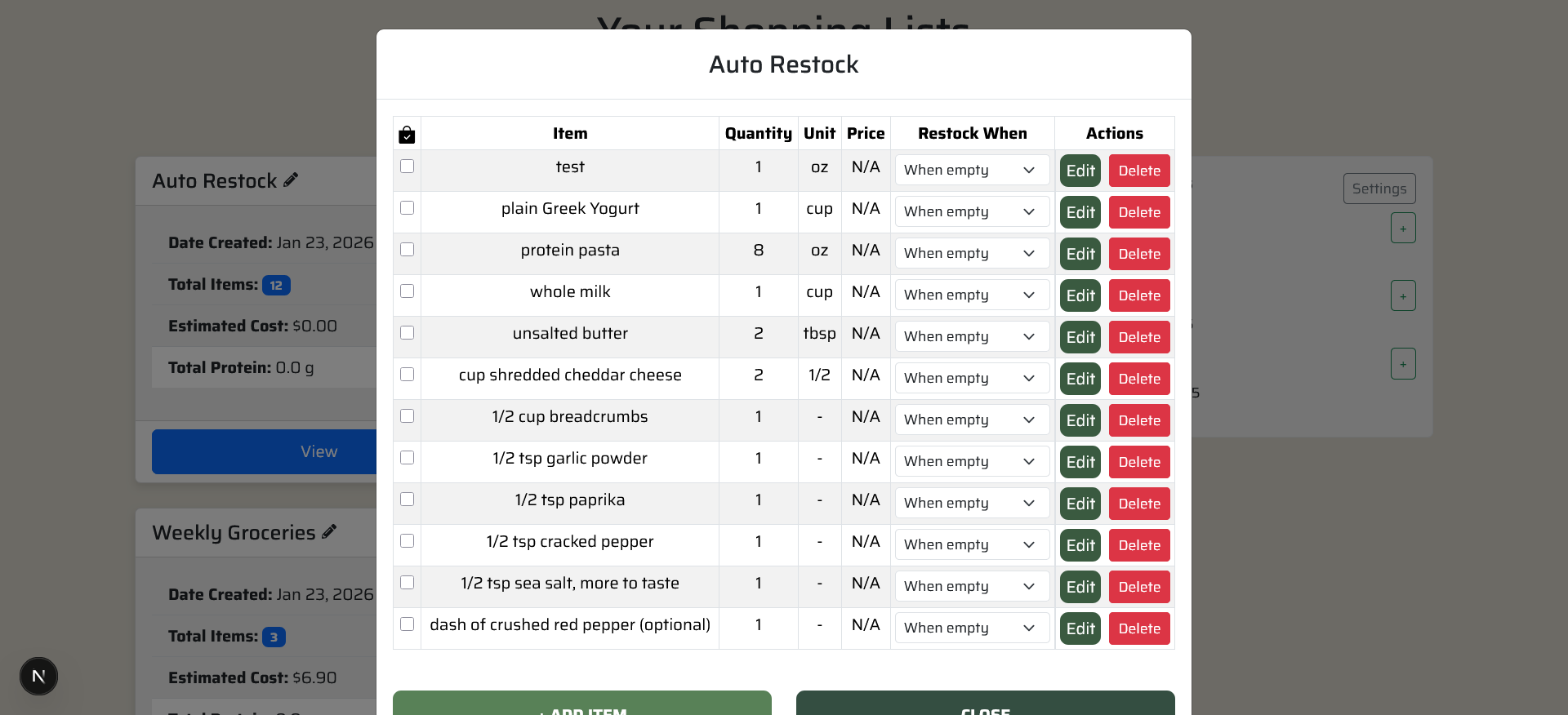
As a personal chef, I want to know what ingredients I have and what I’m missing when making a recipe, and be able to quickly add missing ingredients to my shopping list.
- “Add all missing ingredients” and “Add individual missing ingredients” buttons
- Correctly adds selected items to the shopping list
BodyBuilder - Macro Tracking
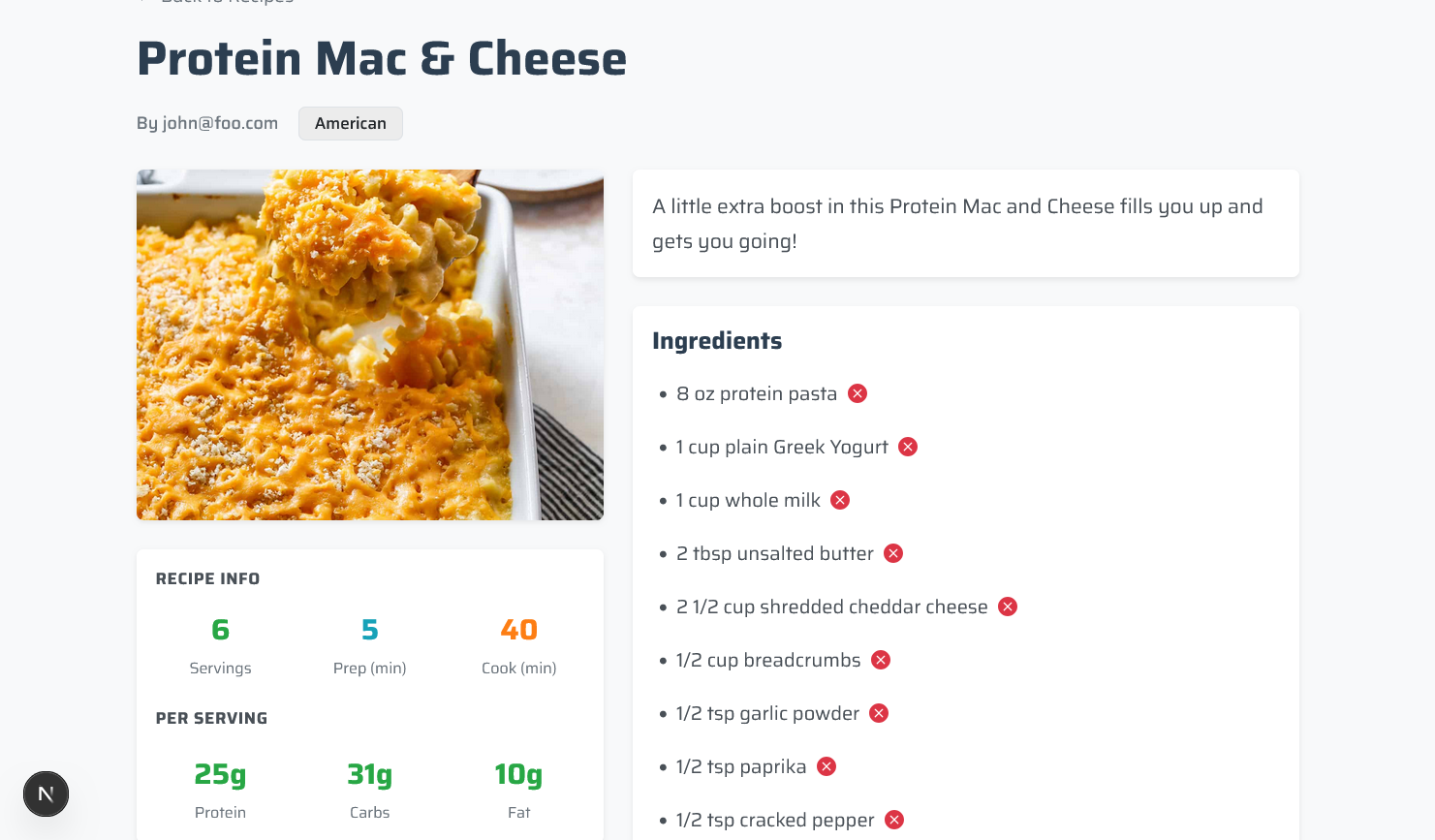
As an elite bodybuilder who needs at least 50g of protein daily, I want macro and protein information on recipes and the ability to import recipes.
- Added macro fields (protein, carbs, fats) to recipe cards
- Displays nutritional information on recipes for easy tracking
Casual User - Save Recipes
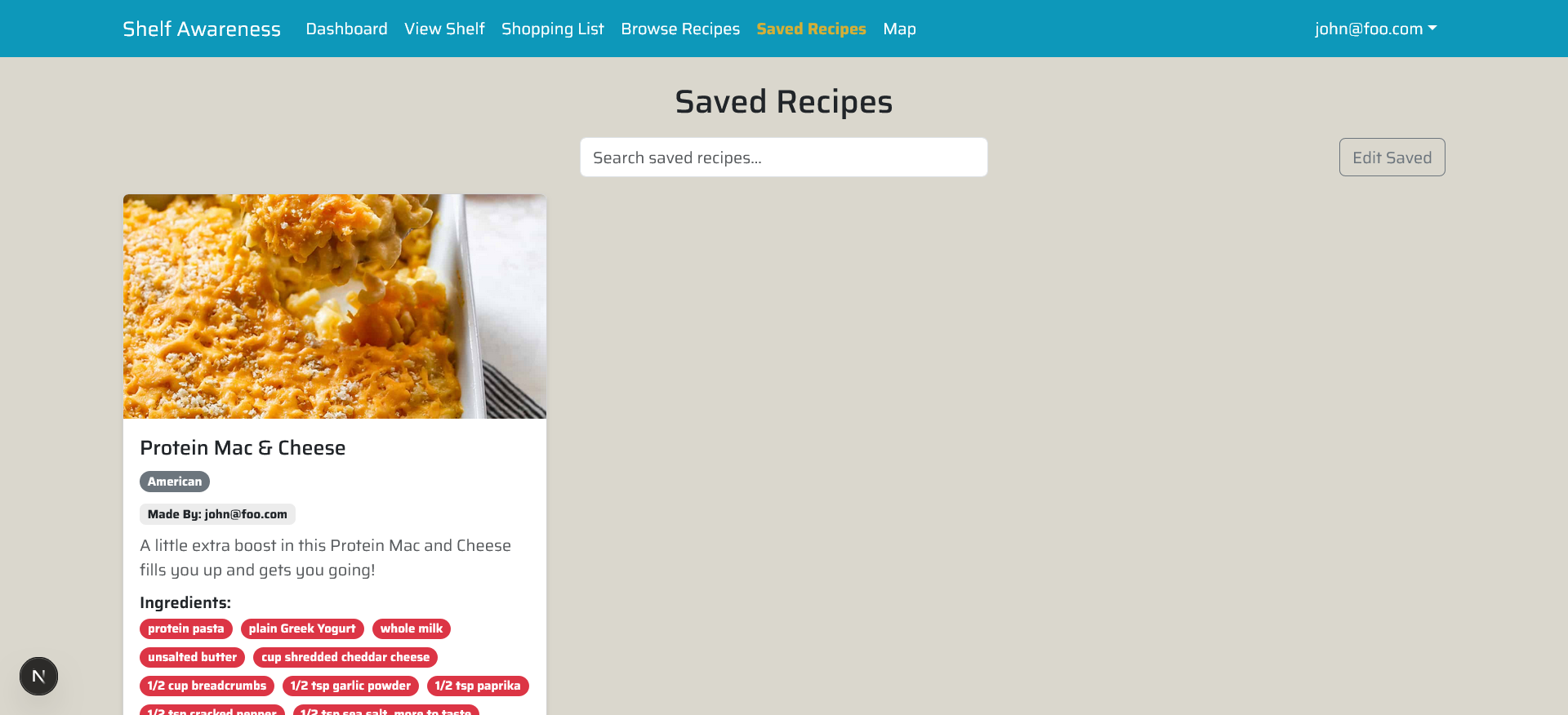
As a casual home cook, I want to save recipes I enjoy so that I can quickly find them later.
- New “Saved Recipes” page
- Save/Unsave recipe buttons added to all recipe cards
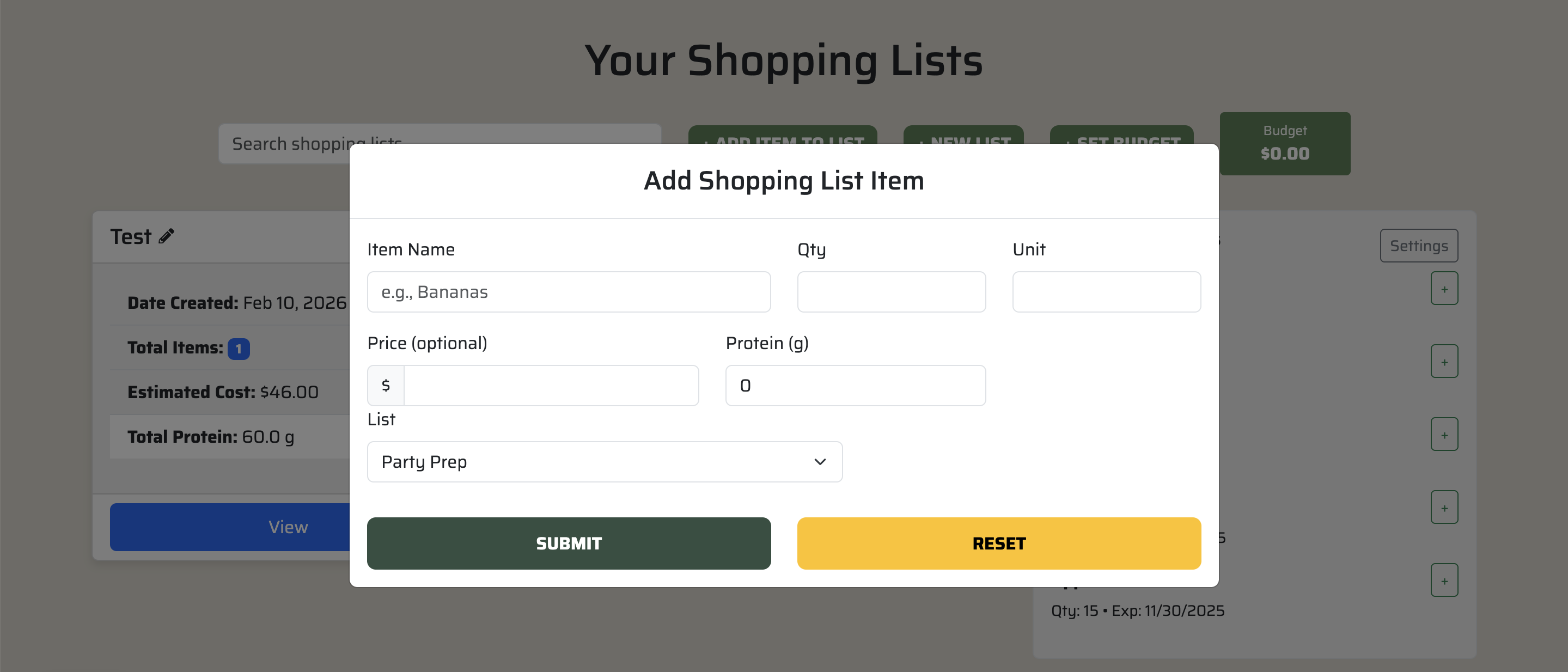
Add and Display Protein Information In Shopping List
Additional Implementation and Improvements
- Mobile-friendly review completed for all pages; some minor spacing adjustments may still be needed.
- Functionality has been tested to ensure smooth integration with existing features.
- Replace all instances of firebase with PostgresSQL
- Unit Converter algorithm
- Create a form for setting a budget that will be implemented in M3
Recipe Mobile View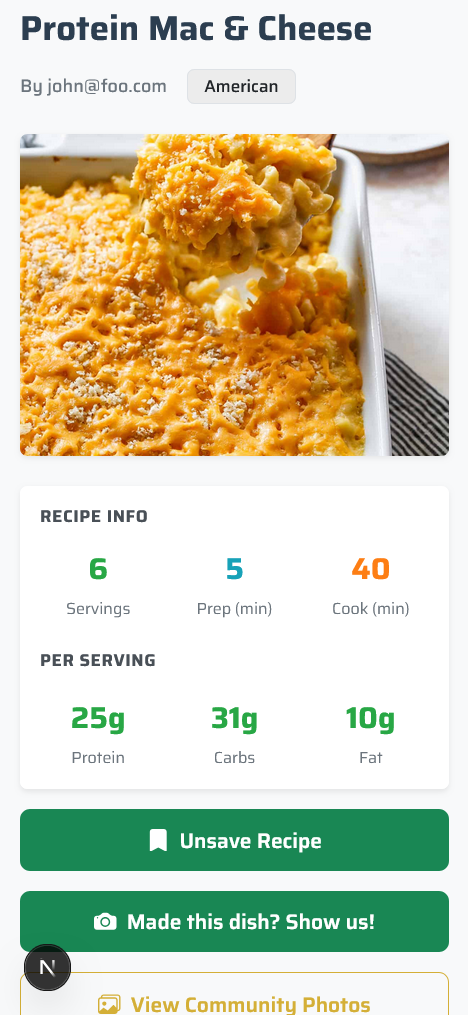
|
Saved Recipe Page Mobile View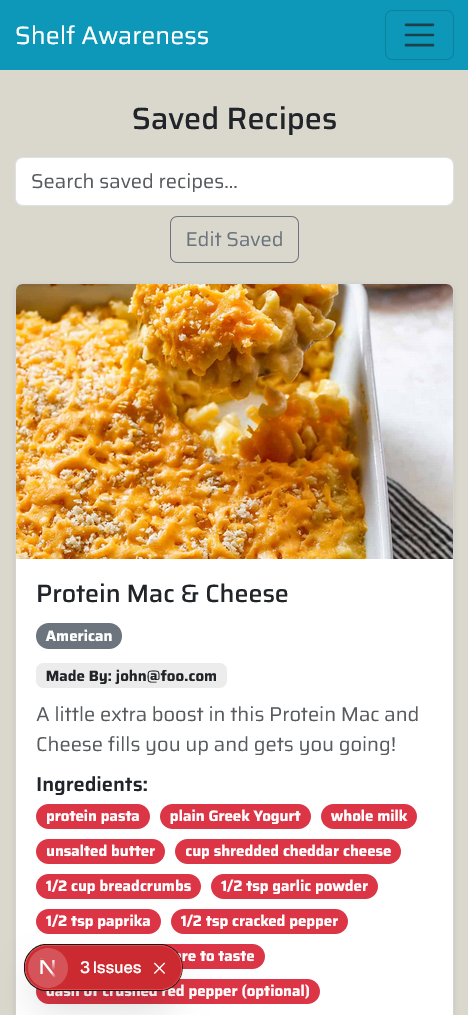
|
Landing Page Mobile View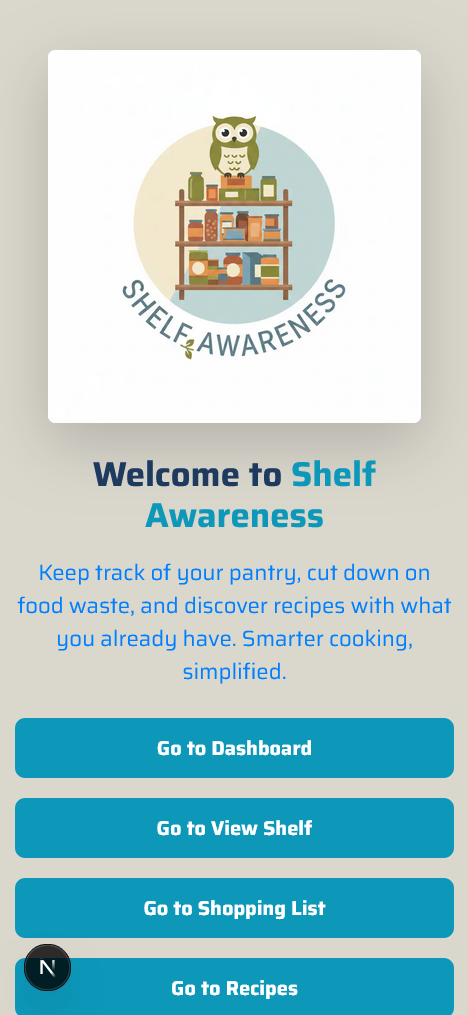
|
Milestone 3
Overview
Milestone 3 focused on expanding core functionality while improving overall system stability and user experience. During this phase, we introduced recipe-based grocery list automation, dietary tagging and filtering, recipe cook tracking, completed mobile friendly-ness of already integrated pages, and completed protein integration across the shopping list system.
In addition, significant effort was devoted to database synchronization, schema corrections, and migration cleanup to ensure long-term maintainability and stability as the project scales while beginning to prepare the application for deployment. These updates strengthen both the user-facing experience and the underlying structure of the project, helping ensure the application is more reliable, scalable, and ready for continued development.
Dietary Tags and Filtering
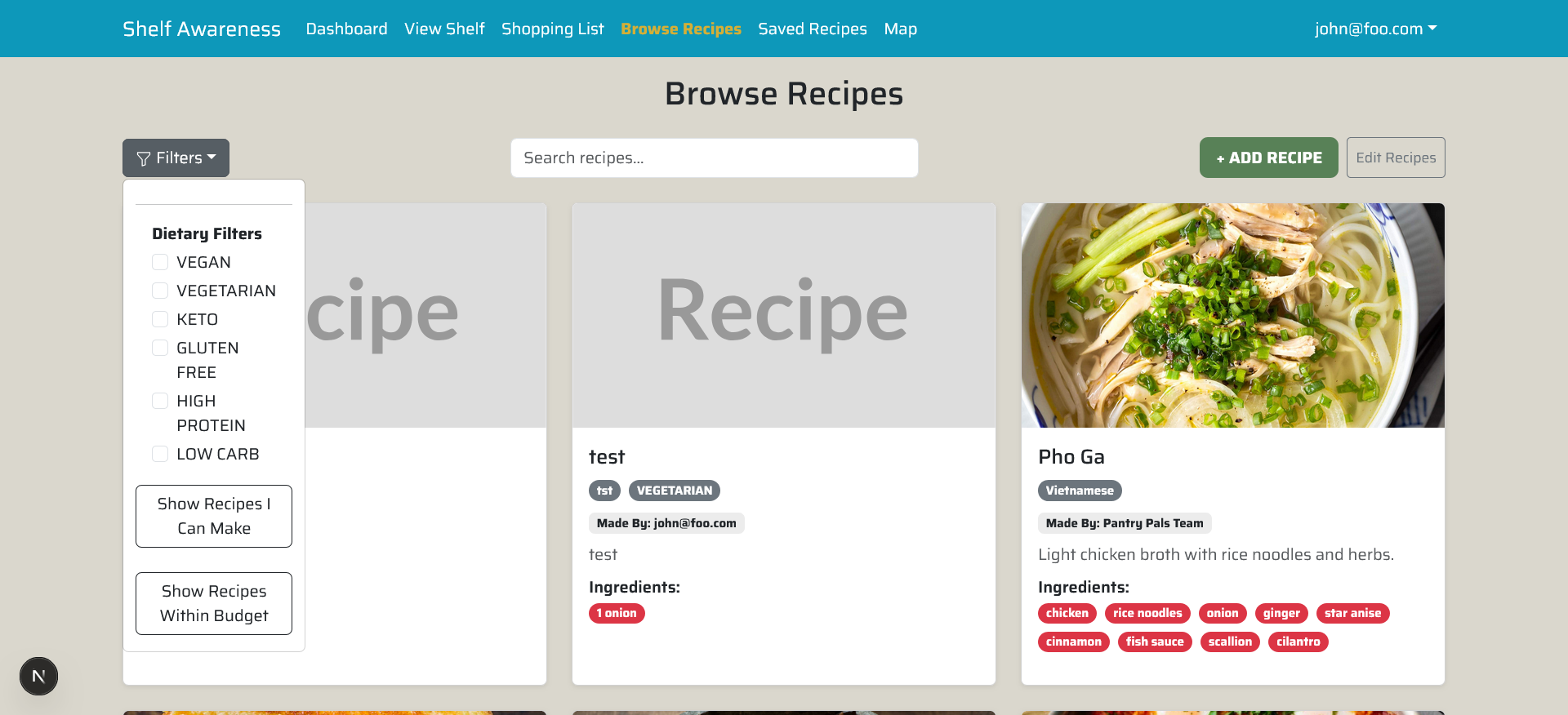
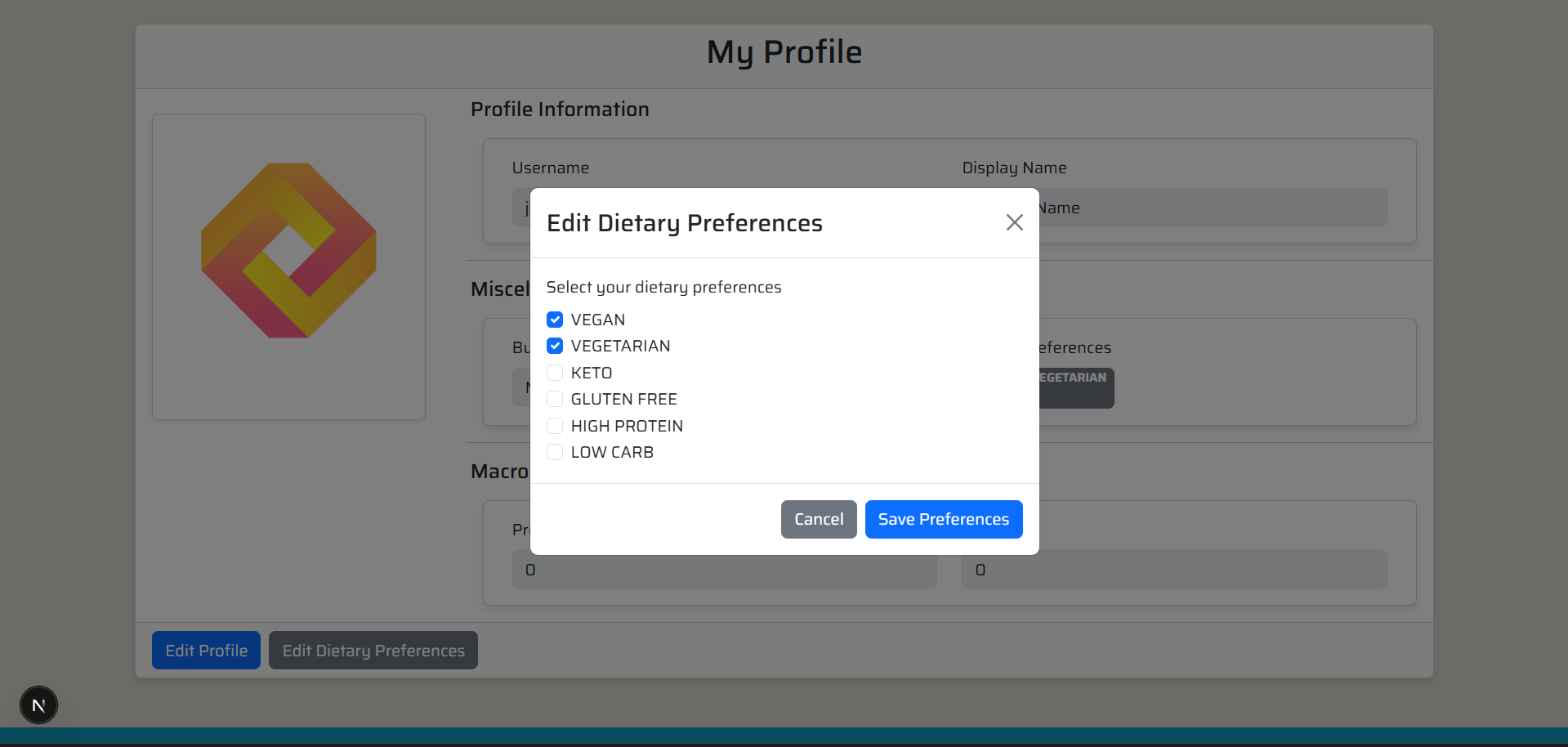
We added dietary tags to recipes (such as vegan, vegetarian, keto, gluten-free, and high-protein).
Users can now:
- Added dietary tags (e.g., vegan, vegetarian, keto, gluten-free, high-protein) to the recipe data model
- Support for multiple dietary categories per recipe
- Updated recipe creation and editing forms to allow tag selection
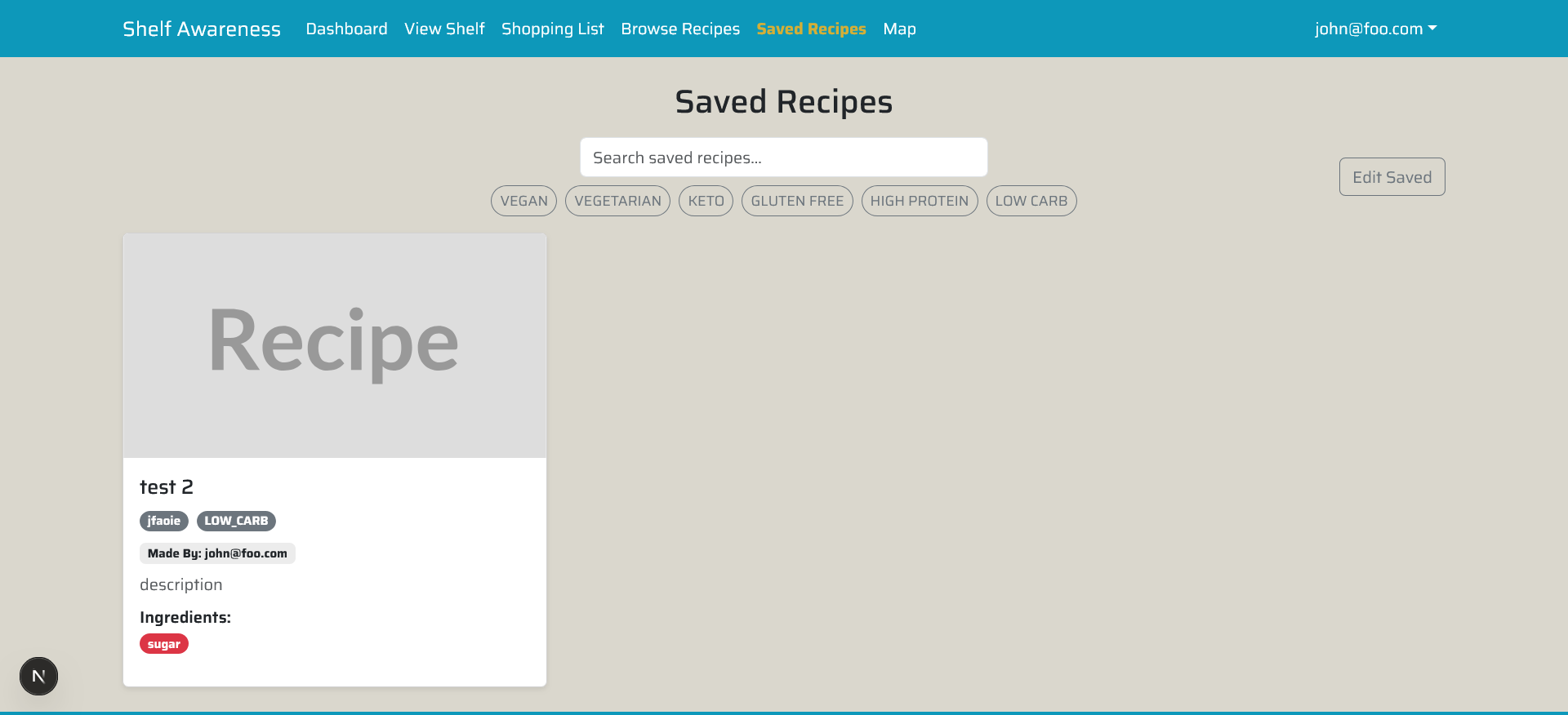
- Visible dietary tags displayed on recipe cards, detail pages, and saved recipes
- Dynamic filtering that allows users to select one or more dietary preferences
This system allows users to quickly find meals aligned with their dietary needs and included the same functionality within the Saved Recipes Page.
Recipes-Cooked Tracking
The app now tracks how often a recipe is cooked.
Each time a recipe is marked as cooked:
- Stores usage data in the database
- Updates counts dynamically
- Supports per-recipe tracking and structured data storage for future personalization features
This helps users see which recipes they use most often and sets up future personalization features.
Protein Integration Completed
Protein tracking was fully integrated into the shopping list system.
- Added a protein field to the shopping list edit modal
- Displayed protein values directly on the shopping list page
This keeps nutritional tracking consistent across recipes and grocery planning.
Automatic Grocery List from Selected Recipes
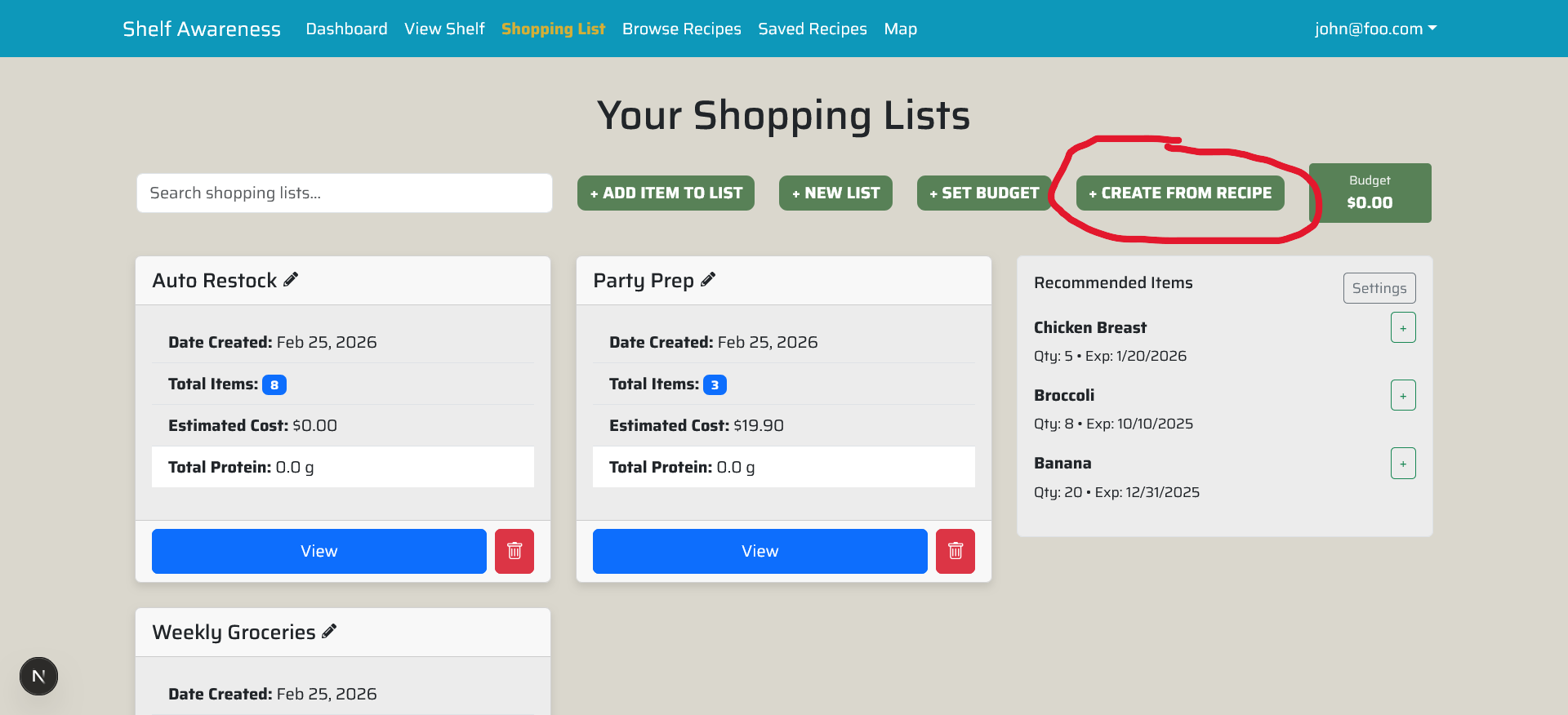
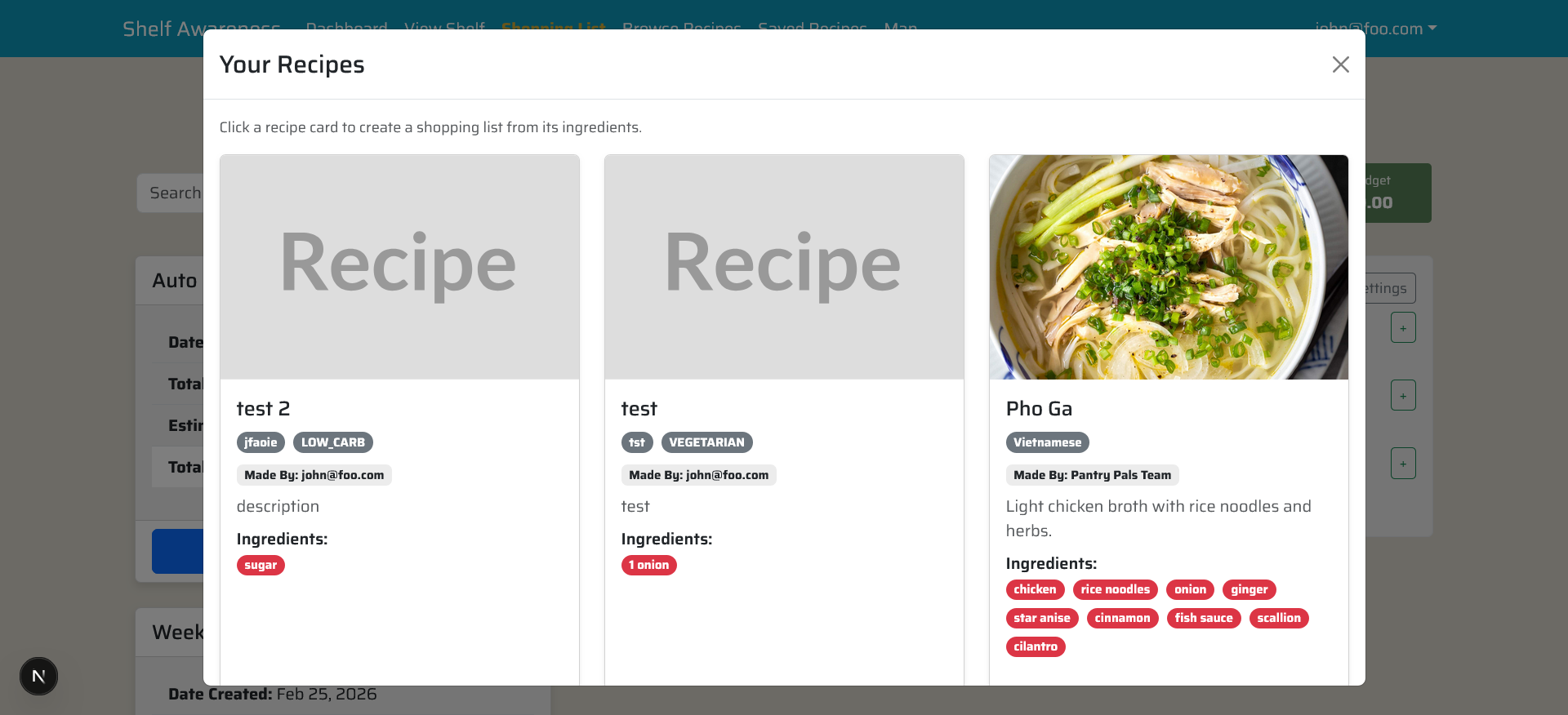
The app now generates a grocery list based on selected recipes.
When users choose multiple recipes, the system:
- Calculates the total quantity needed per ingredient
- Merges duplicate items into a single entry
- Generates a consolidated shopping list
Database Fixes and Migration Cleanup
We resolved several database and migration issues that were causing conflicts.
This included:
- Removing duplicate migrations
- Syncing local databases
- Updating the schema to properly support recipe usage tracking
- Fixing a routing issue that affected the shopping list page
This work ensures long-term maintainability and reduces technical debt introduced by prior iterations and branching conflicts.
Milestone 4
Overview
Milestone 4 focused on polishing the user experience, improving workflow between major features, and completing several usability improvements identified during earlier milestone reviews. During this phase we fixed UI issues affecting pantry and shopping list interactions, continued rebranding work across the interface, and introduced a basic map implementation for locating nearby grocery stores. Furthermore, an ingredient substitution system was integrated to help refine the overall experience of Shelf Awareness while preparing the application for further expansion and development.
UI Improvements and Bug Fixes
Several usability issues discovered during the Milestone 2 review were addressed to improve the consistency and reliability of the interface.
This Included:
- Fixed an issue where adding a pantry item incorrectly displayed a failed operation message even though the item was successfully added to the database and pantry view.
- Corrected text centering issues on the shopping list page.
- Updated the shopping list to properly adjust item units when ingredients are added from recipes.
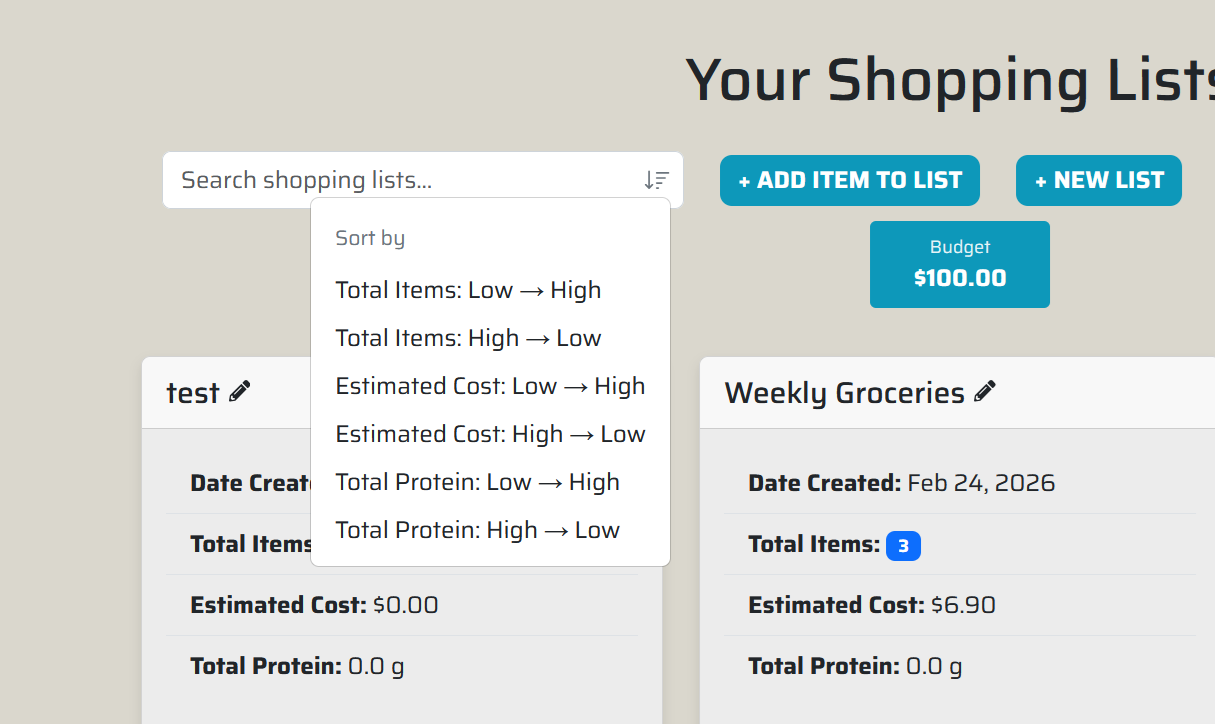
- Updated the shopping list to reflect changes in real time and allow for basic sorted searches.
- Removed duplicate dietary tags appearing on the “Add New Recipe” page.
- Replaced edit and delete text buttons on the shopping list with intuitive pencil and trash can icons for a cleaner interface.
Grocery List to Pantry Workflow
To improve the grocery shopping workflow, we added the ability to move purchased items directly from the shopping list into the pantry.
Users can now:
- Mark items as purchased within the shopping list
- Move purchased items directly into their pantry inventory
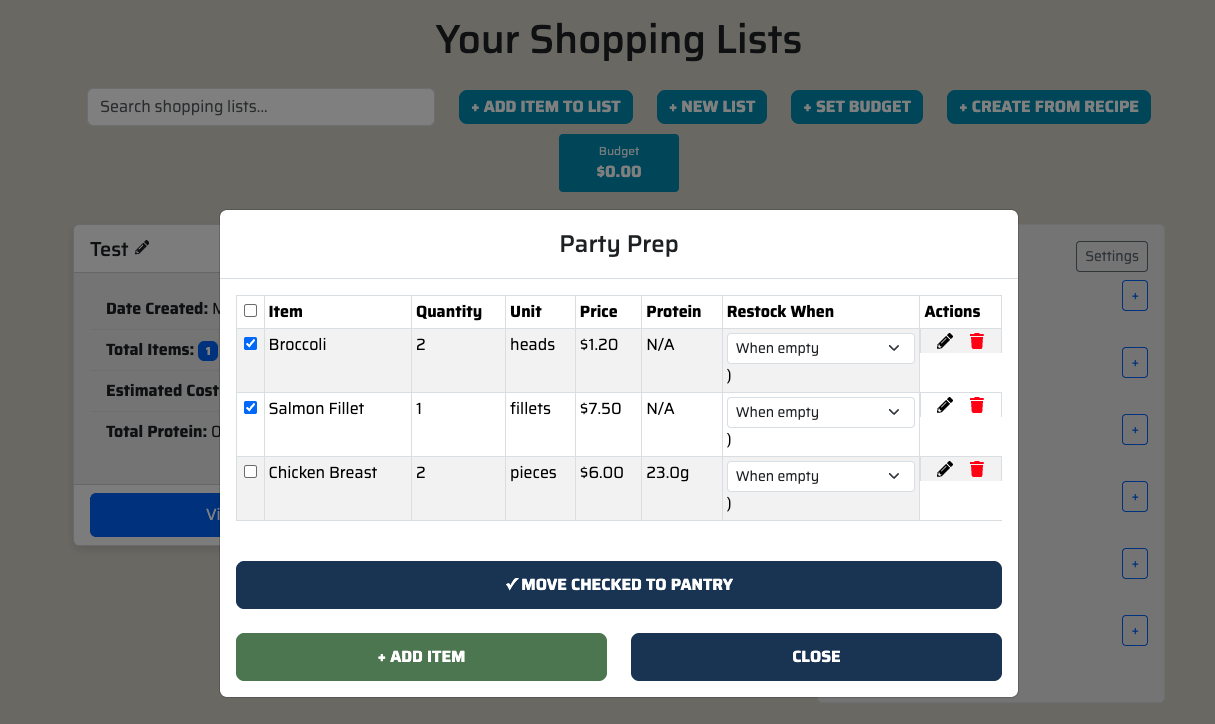
Subsequently, we tweaked the page so that any changes in shopping lists would be reflected in real time. This is also accompanied by a basic sorting function for quicker, targeted shopping list viewing.
Ingredient Substitution System
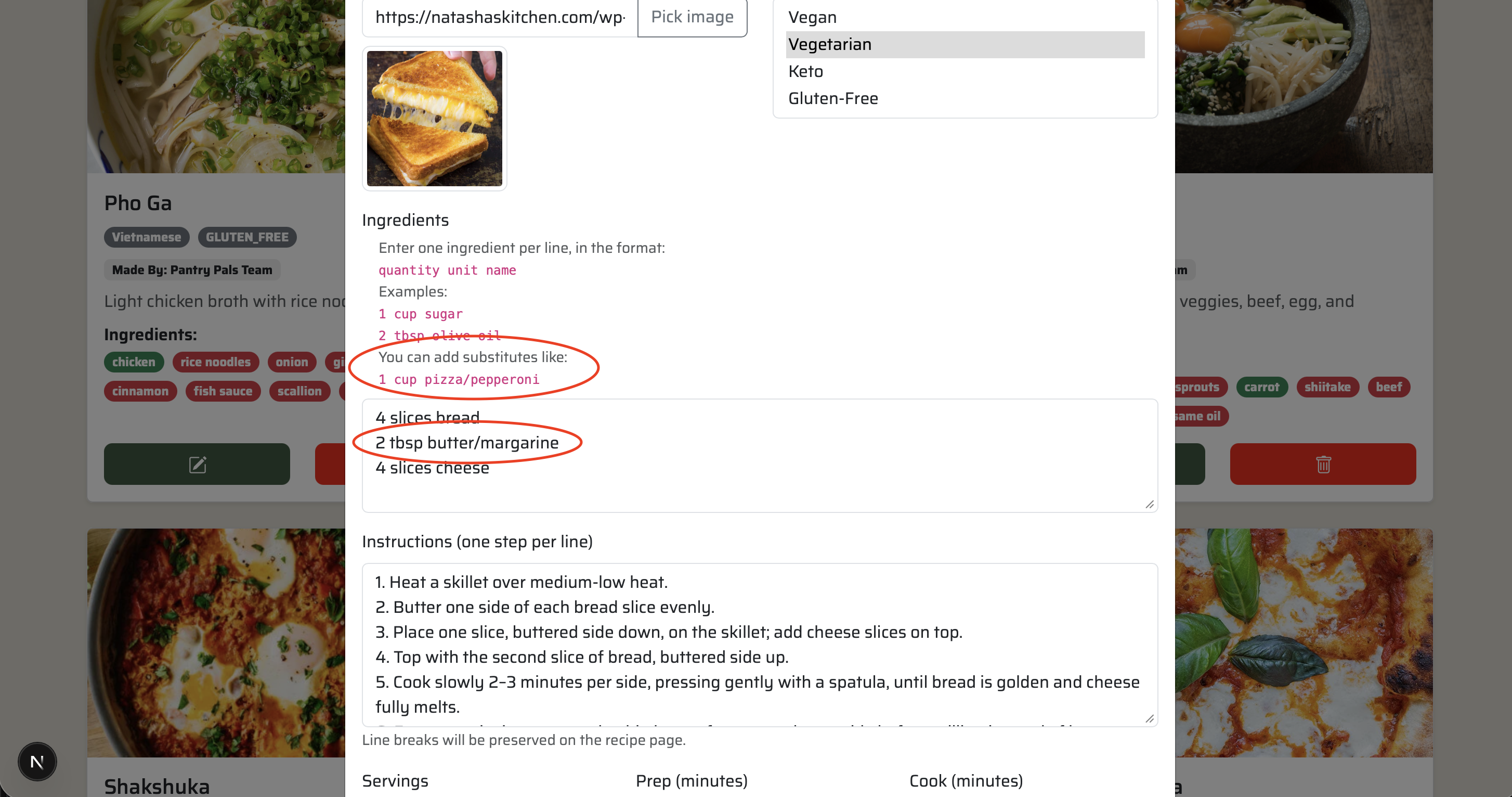
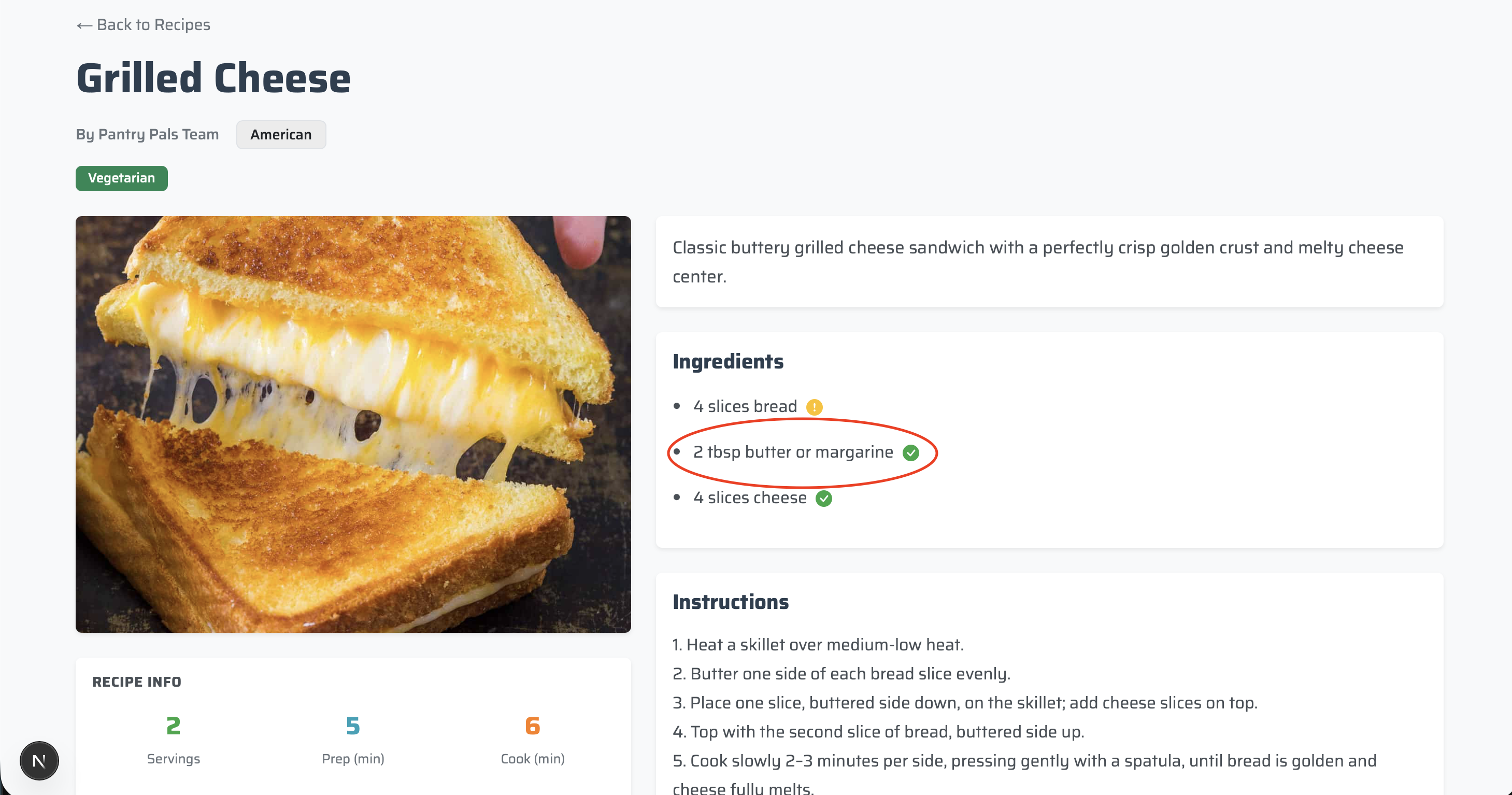
The app now supports ingredient substitution suggestions for missing recipe items. This includes a centralized substitution mapping and inline display within recipes. This makes recipes more flexible and helps users cook even when ingredients are missing.
This includes:
- Supports multiple substitutes per ingredient
- Stored substitution data in Database
- Displays valid substitutes inline for missing ingredients
Branding and UI Rebranding
Additional rebranding work was completed across the application to maintain visual consistency with the Shelf Awareness identity and theme.
This included:
- Replacing remaining instances of PantryPals with Shelf Awareness
- Updating outdated color styling across components
- Replacing previous green accent colors with the updated blue theme
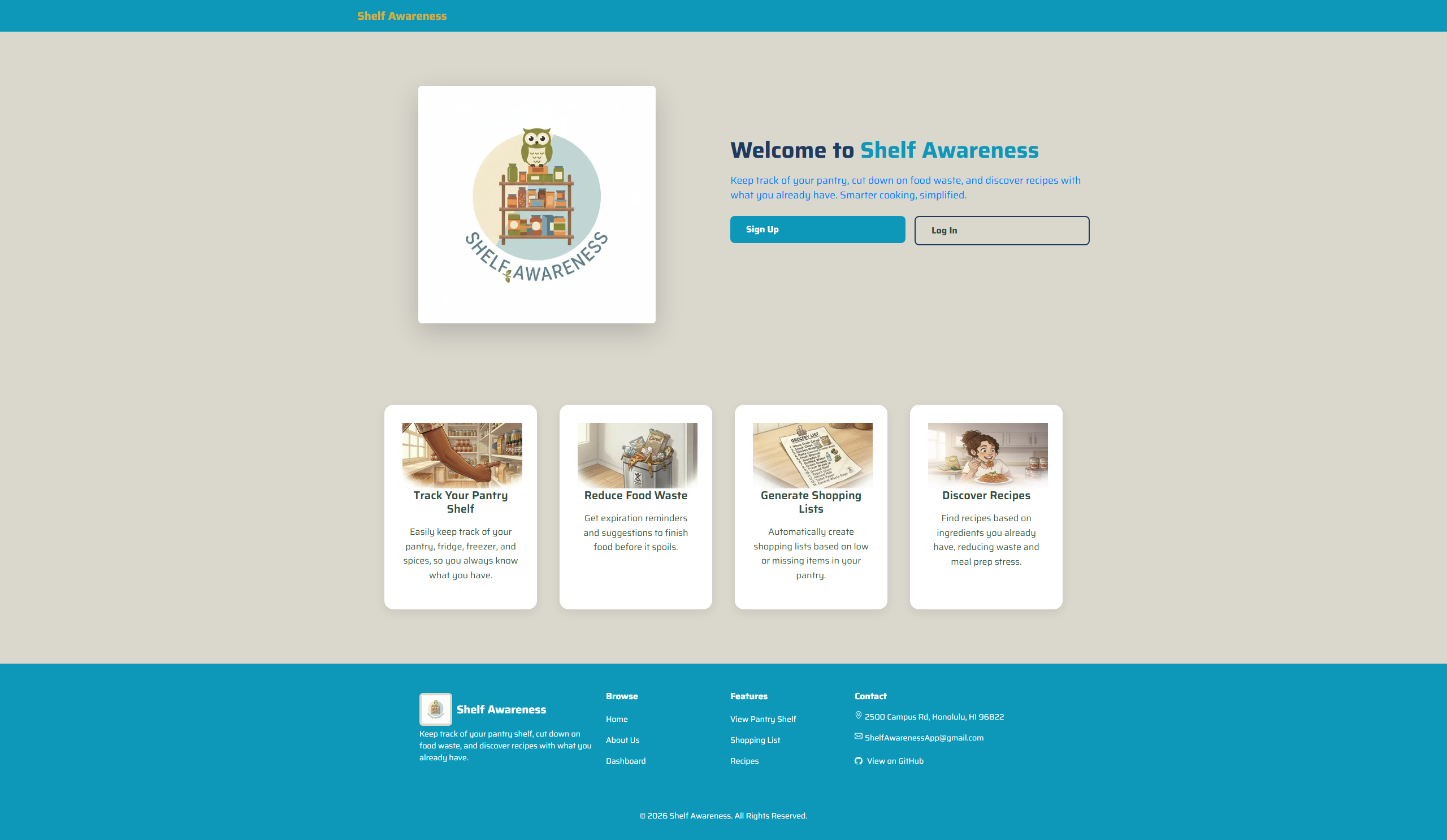
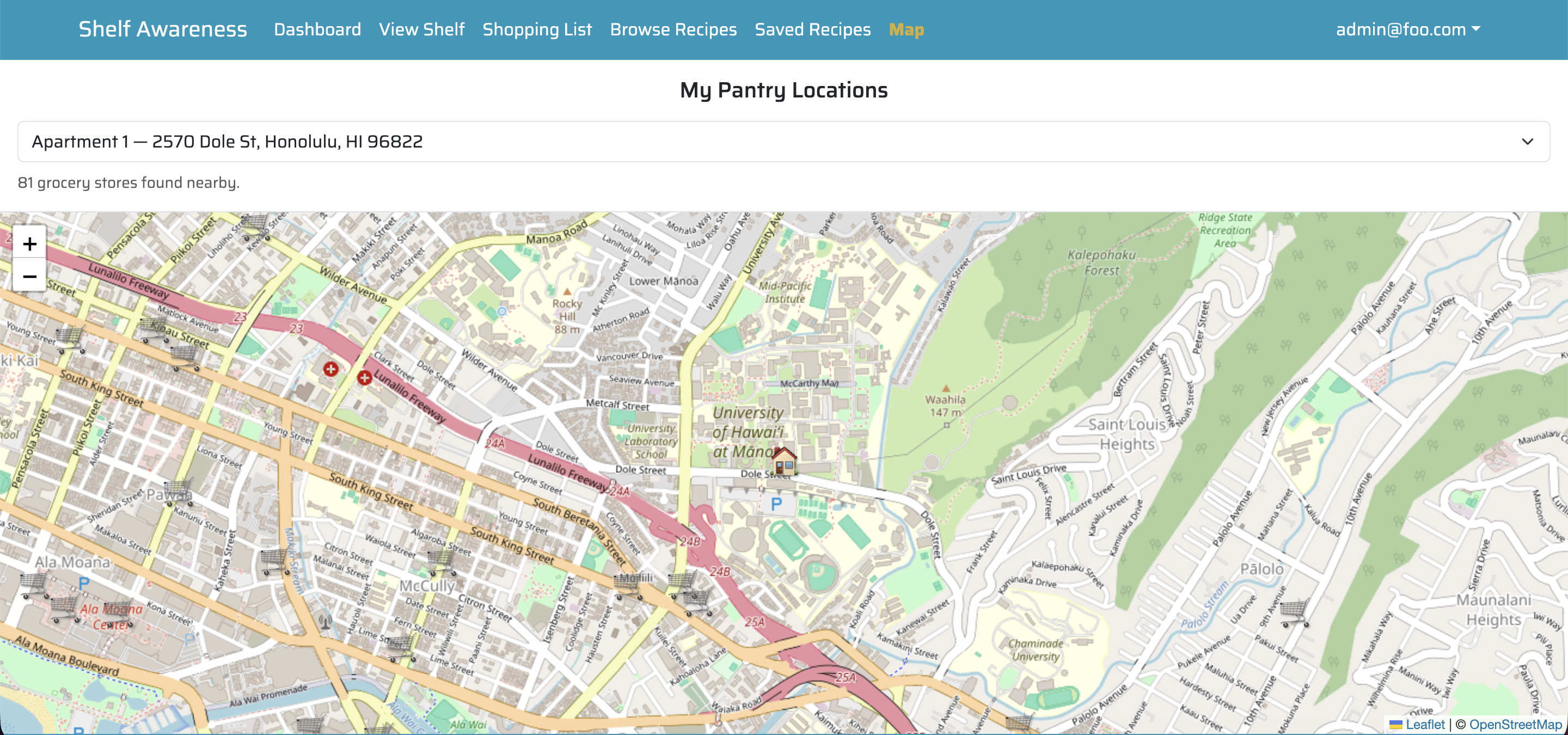
Basic Grocery Store Map Implementation
A basic map system was implemented using Leaflet to support the grocery store location feature described in earlier milestones.
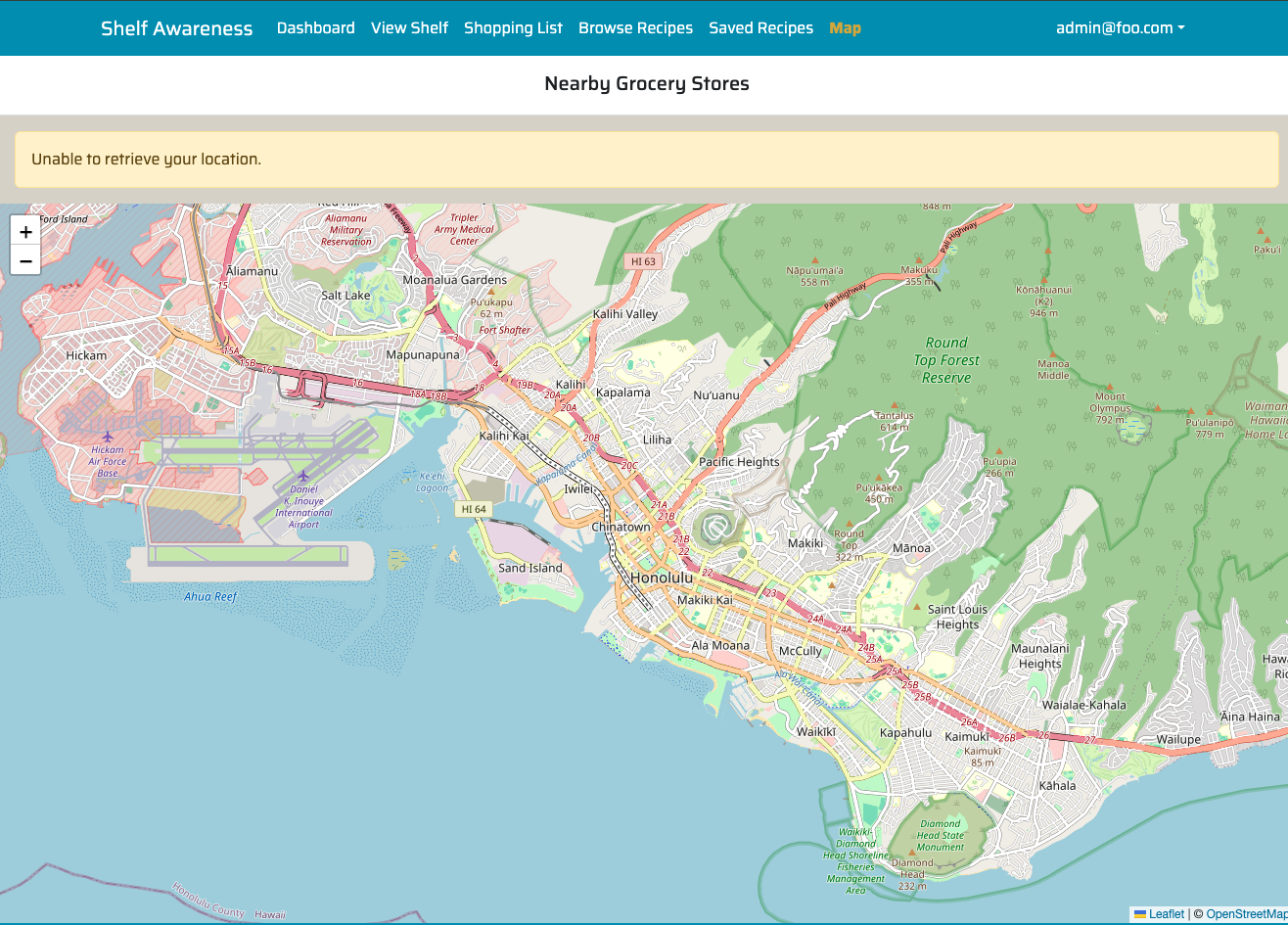
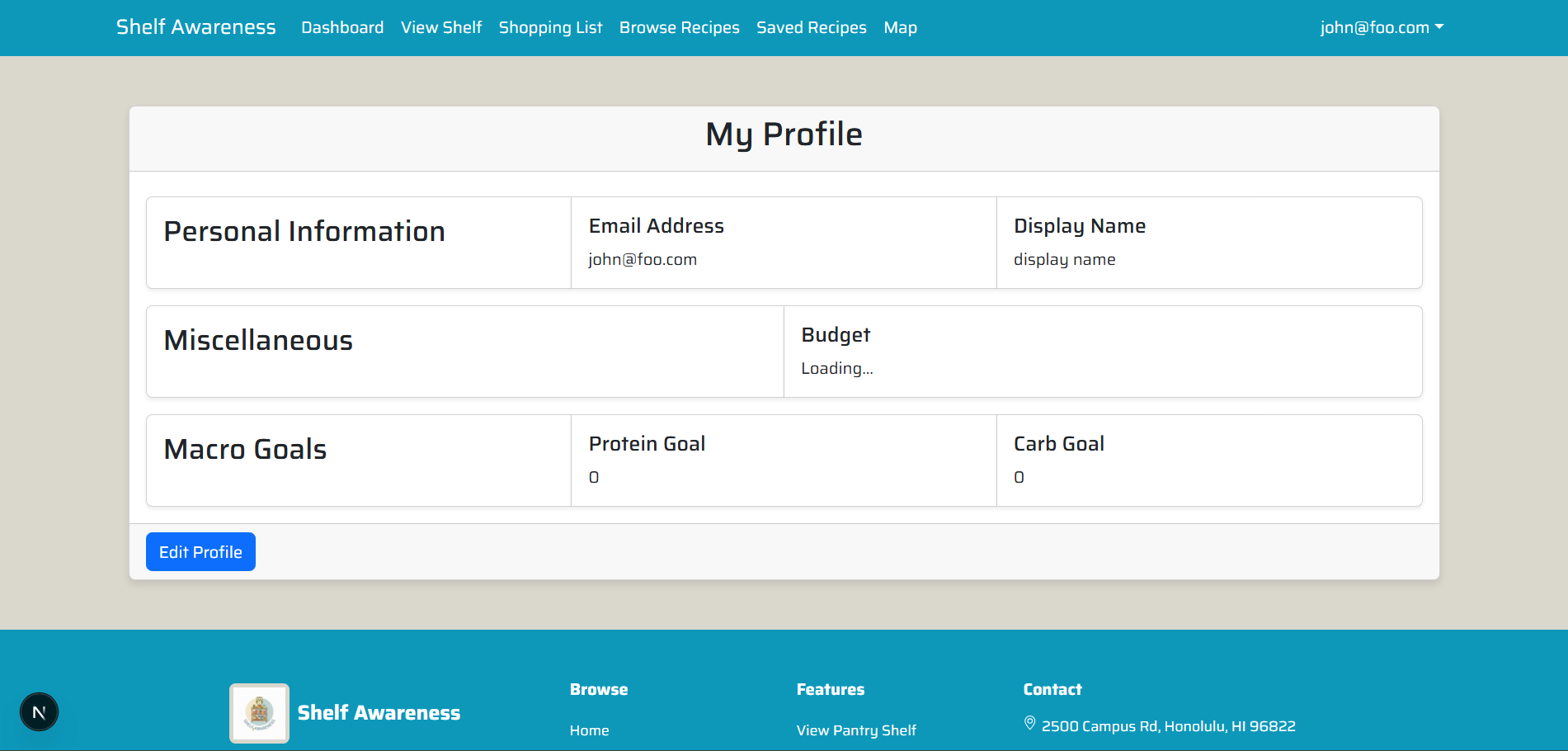
Profile Page Created
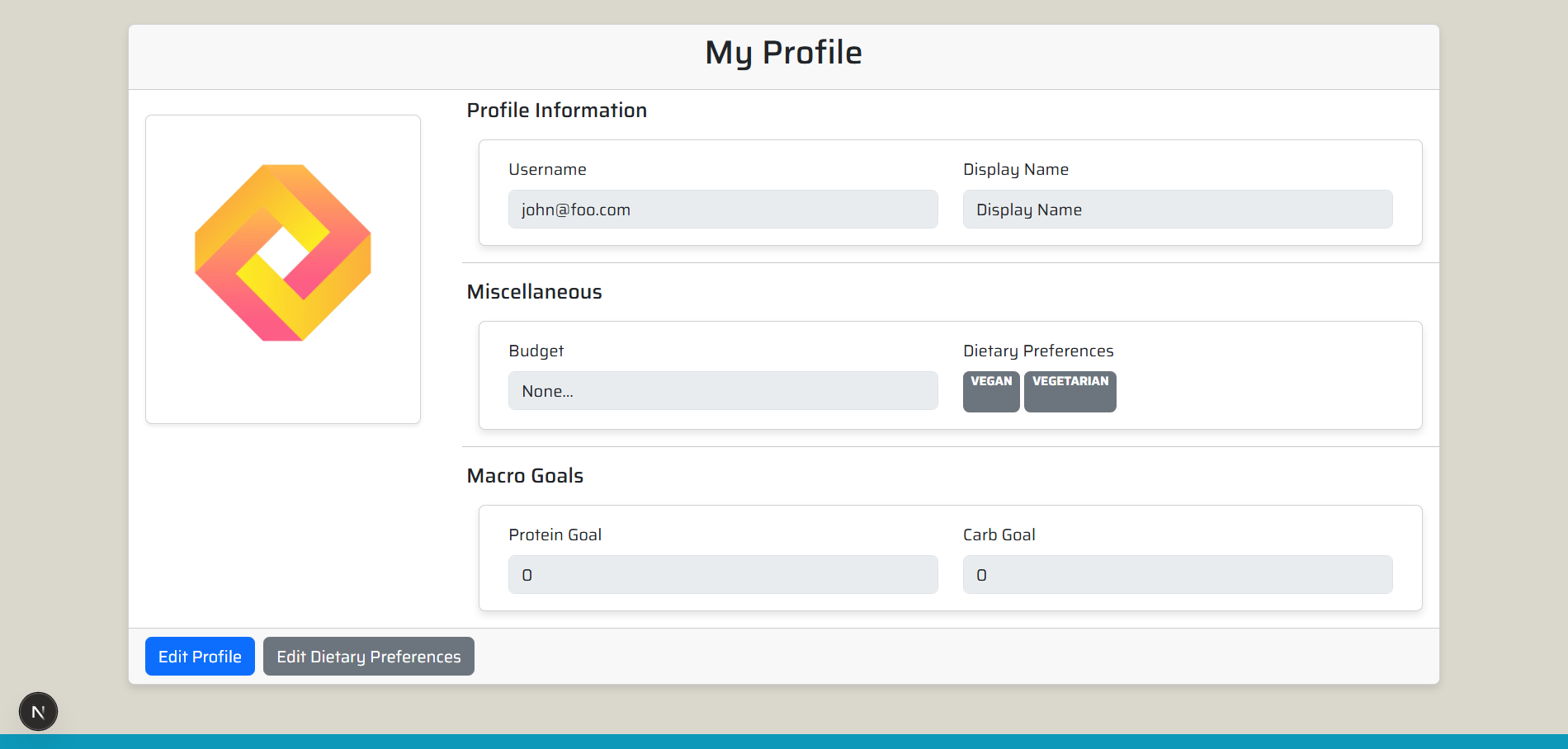
A basic profile page was created, which can be accessed through the user dropdown. Future milestones will refine the UI and add more functionalities, such as being able to edit the profile, add display names, and set macro goals.
Milestone 5
Overview
Milestone 5 focused on improving data precision, enhancing user personalization, and refining the overall user interface across both desktop and mobile experiences. During this phase, we introduced more structured quantity and pricing systems to support future cost and nutrition-based features, while also addressing usability issues within the profile page and mobile layouts. Additionally, location-based functionality was expanded to improve the grocery store mapping experience.
These updates strengthen the application’s ability to provide accurate calculations, improve user customization, and deliver a more polished and responsive interface.
Structured Quantity System
We redesigned how item quantities are stored and managed across the application to support more accurate tracking and calculations.
This included:
- Updated the Prisma schema to store quantity as a value + unit system
- Added standardized unit options (e.g., grams, ounces, pounds, cups, milliliters, items)
- Enabled consistent quantity tracking across pantry items and shopping lists
- Laid the foundation for future unit conversion and nutrition calculations (such as protein tracking)
Recipe Popularity & Usage Tracking
We introduced recipe usage tracking and popularity insights to help users discover trending and frequently cooked meals across the platform.
Key updates include:
- Implemented recipe usage tracking to record how often recipes are cooked
- Rebuilt the tracking system to ensure stability after prior deployment issues
- Enabled sorting of recipes by cook count for accurate popularity ranking
- Displayed the most popular ShelfAwareness recipes directly on the dashboard
- Added visibility into cook counts to improve transparency and user decision-making
User impact:
- Users can quickly identify popular and frequently used recipes
- Makes it easier to discover trending meals and personal favorites
- Enhances the dashboard with meaningful, data-driven insights
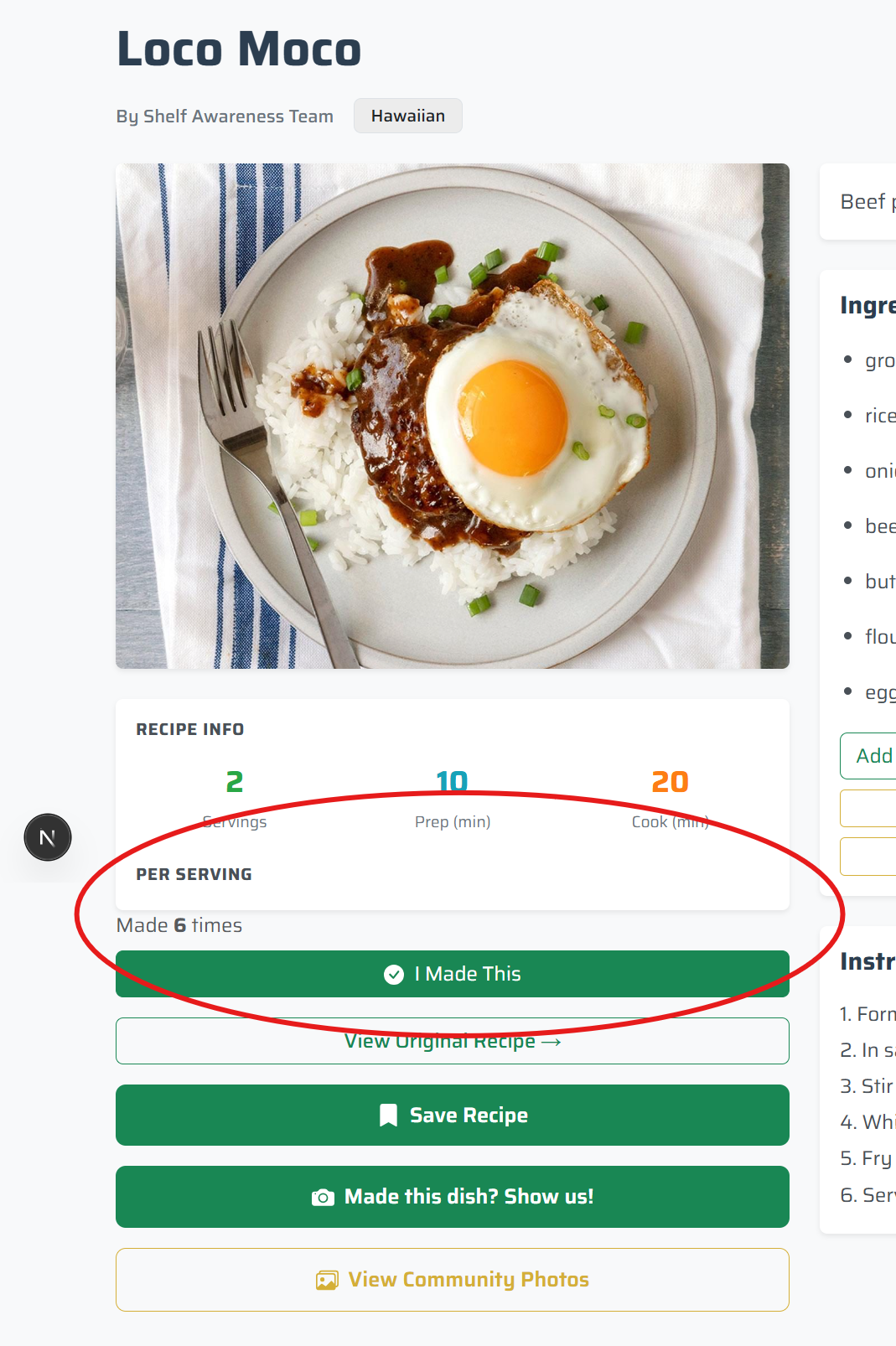
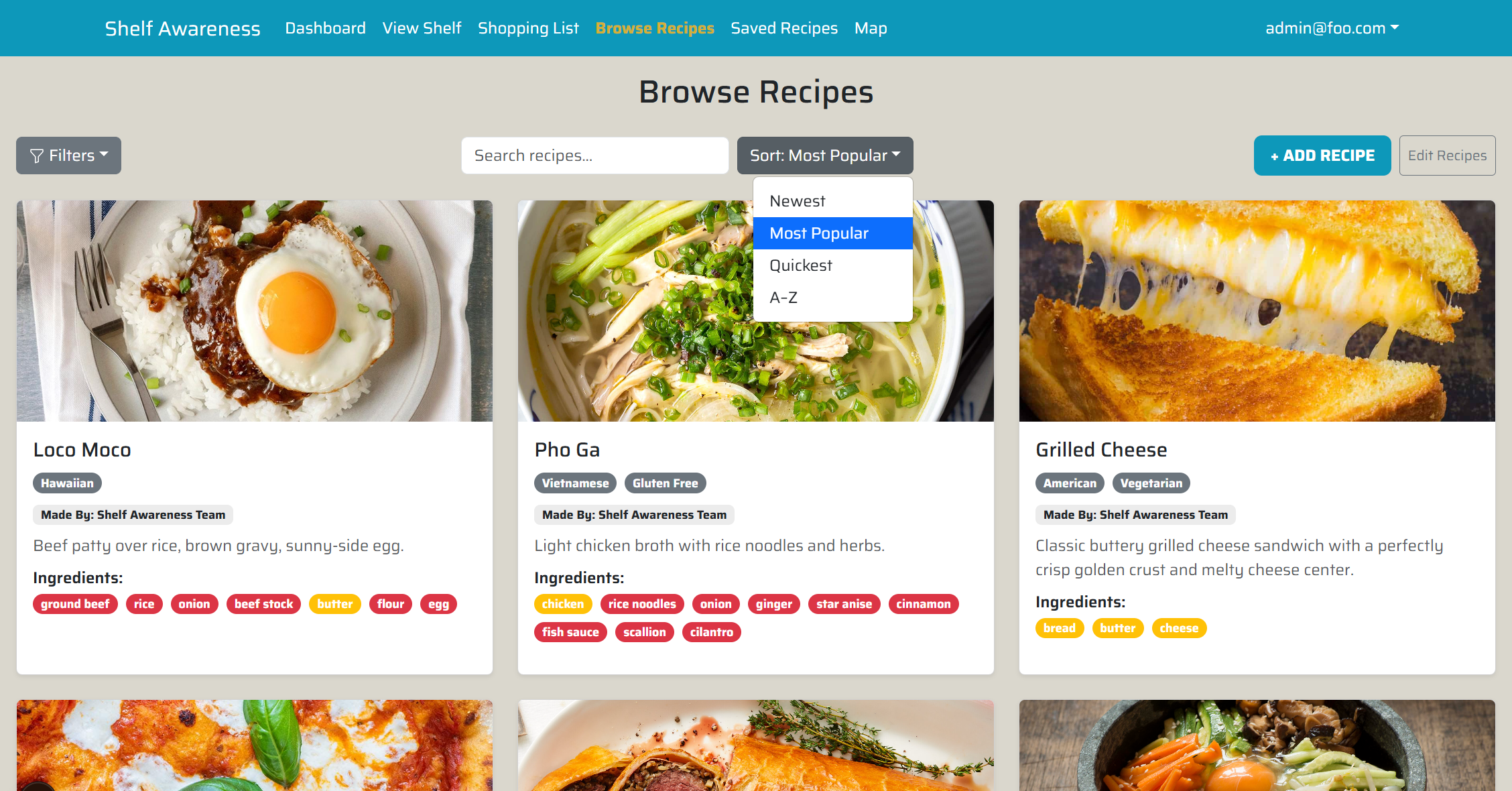
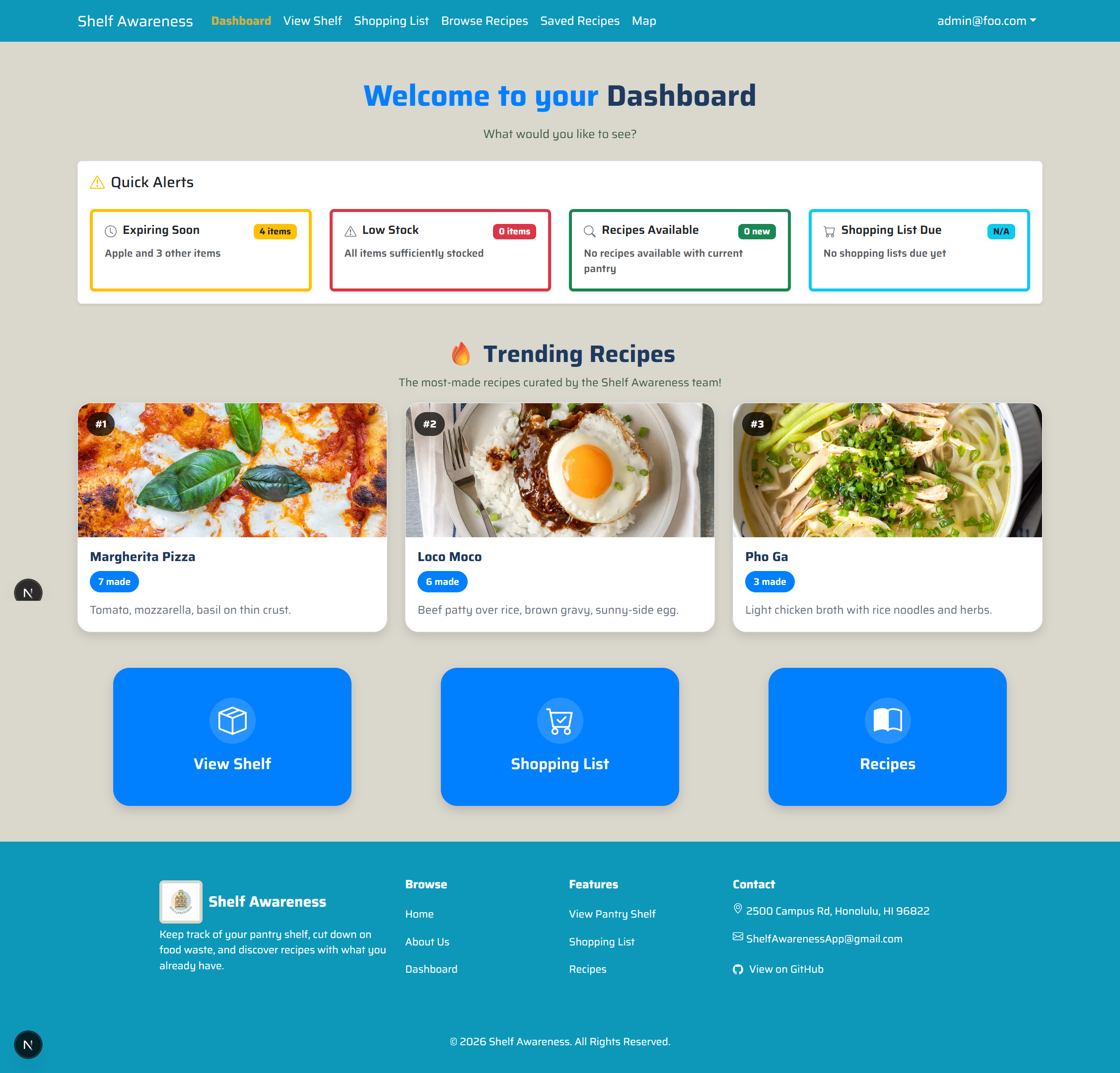
This feature lays the groundwork for future enhancements such as personalized recommendations, trending analytics, and smarter meal planning.
Updates to Tracking Macros
Each user can now set and track their desired daily macros, being their desired amount of Proteins, Fats, Carbs, and Calories consumed per day.
Users will now find:
- A Daily Macros Tracker near the top of their Dashboard
- Options to set their desired Daily Macros in their Profile Page
How to track consumed Macros:
- Currently, users track the macros they consume by cooking recipes
- This is done by clicking the “I Made This” button in a recipe page
- This now tracks the macros you’d consume by cooking that recipe
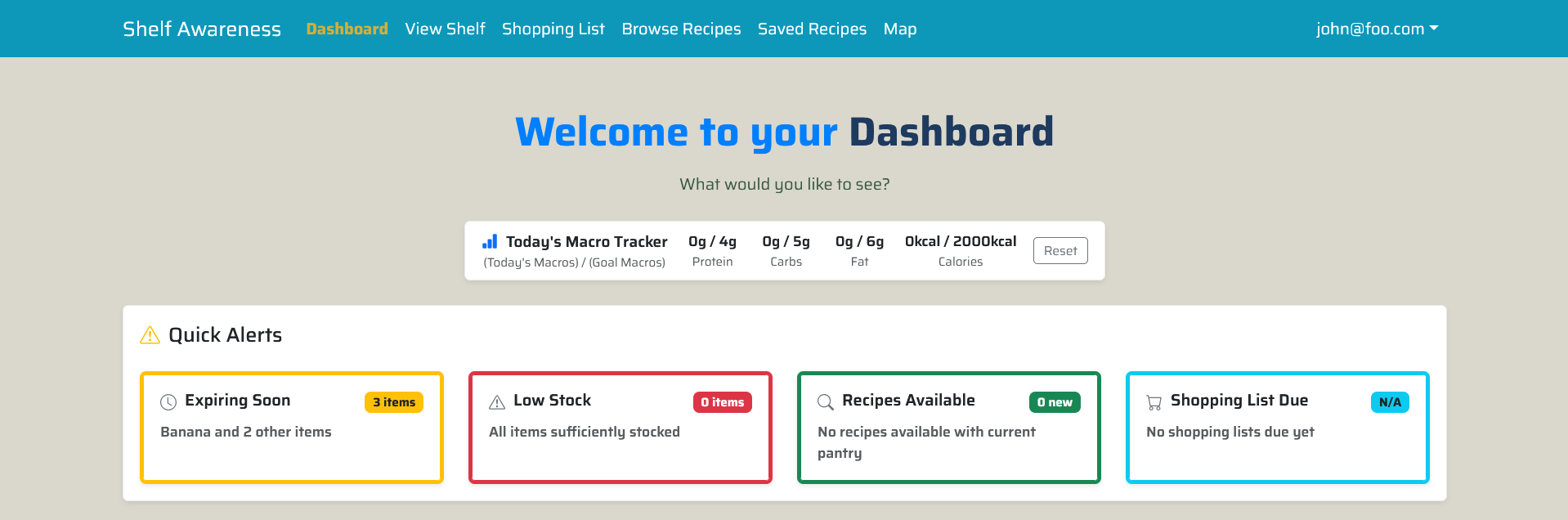
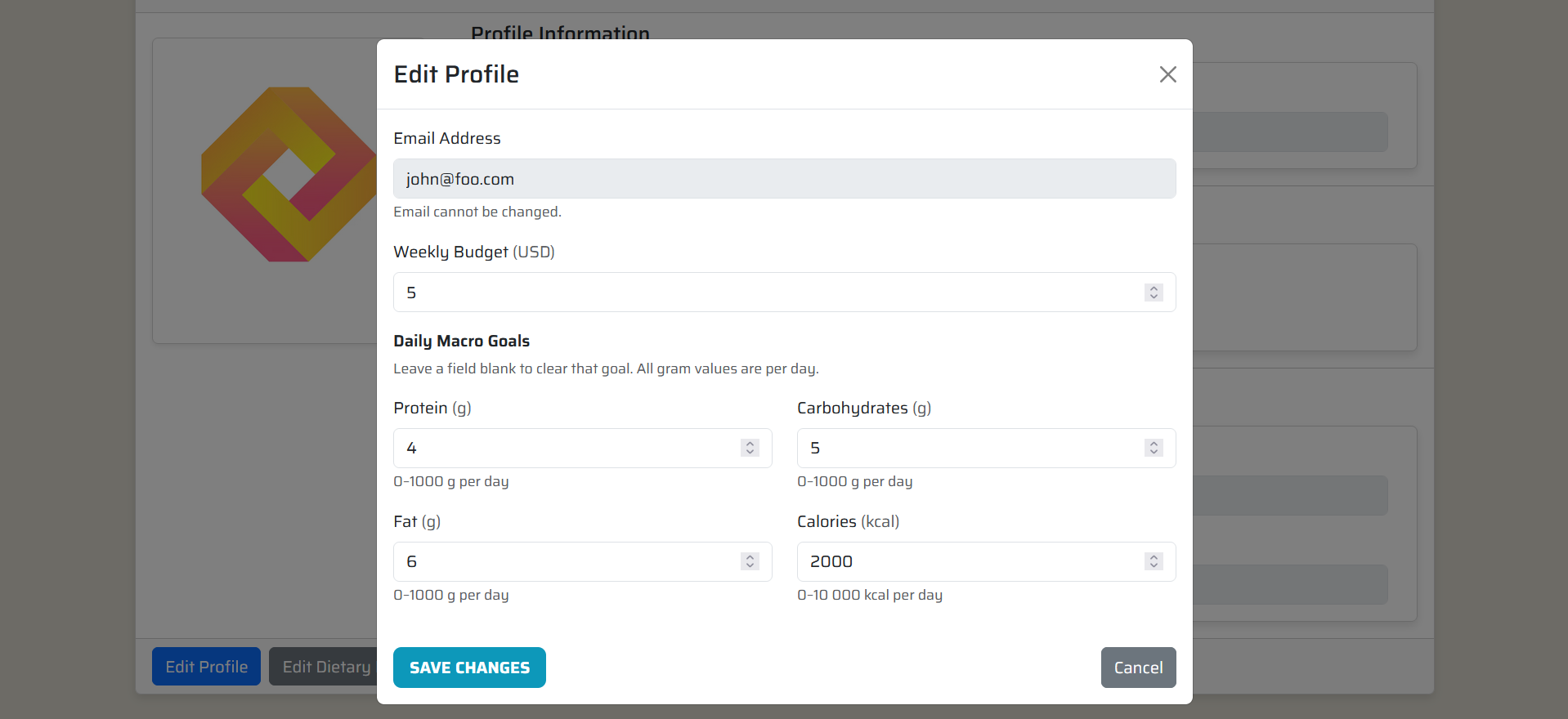
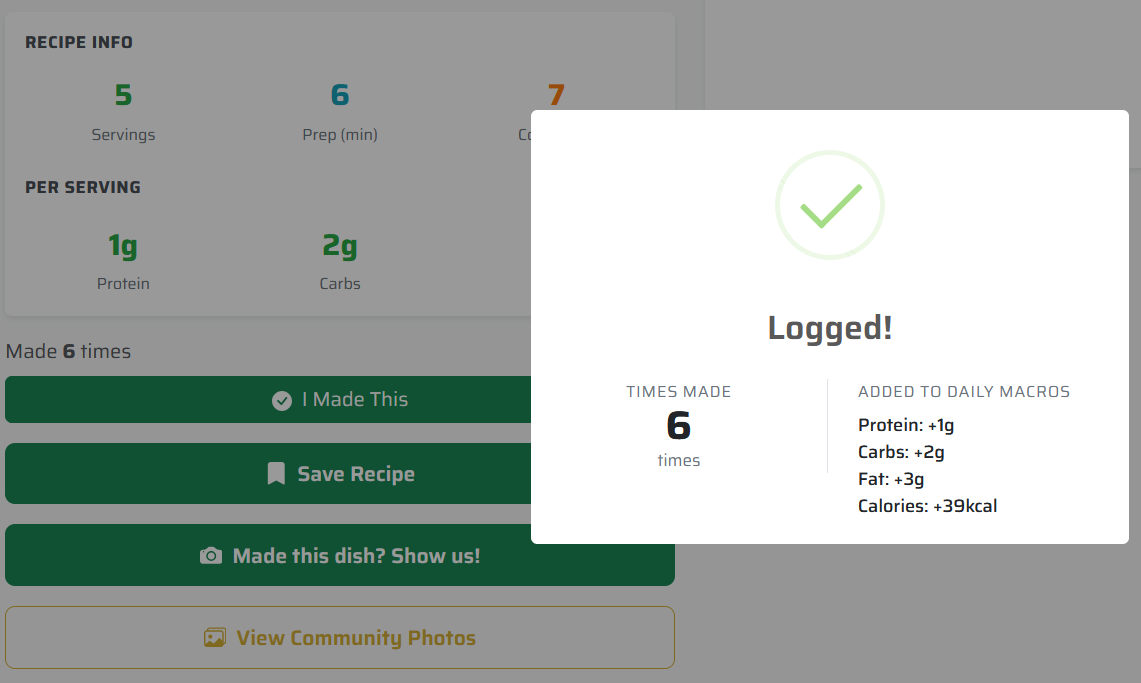
Users can reset their tracked daily macros by clicking the “Reset” button from the Dashboard at the end of their day.
Price-Per-Unit Integration
We introduced pricing metadata to pantry items to support cost estimation features.
Users can now:
- Store a price-per-unit value for each pantry item
- Associate pricing with specific units (e.g., per pound, per item)
- Use default estimated pricing or manually adjust values
This feature enables future enhancements such as:
- Recipe cost estimation
- Budget-aware shopping lists
- Smarter grocery planning
Profile Page Improvements
We enhanced the functionality and appearance of the profile page to improve personalization and usability.
This included:
- Fixed a bug where the budget value failed to load and remained stuck on “Loading…”
- Improved the UI to be more dynamic and visually consistent with the rest of the application
- Established a stronger foundation for future profile features such as editable diet preferences and nutrition goals
Mobile and UI Refinements and Bug Fixes
We refined the mobile experience by addressing layout and spacing issues across key pages. Additional interface improvements were made to enhance consistency and usability.
This included:
- Adjusted the size of edit and delete icons for better visibility and accessibility
- Removed excess white space to reduce unnecessary vertical scrolling
- Improved spacing consistency on recipe pages, pantry views, and shopping lists
Map Page
We added the ability to add an address when you add a location and have that location show up on the map.